
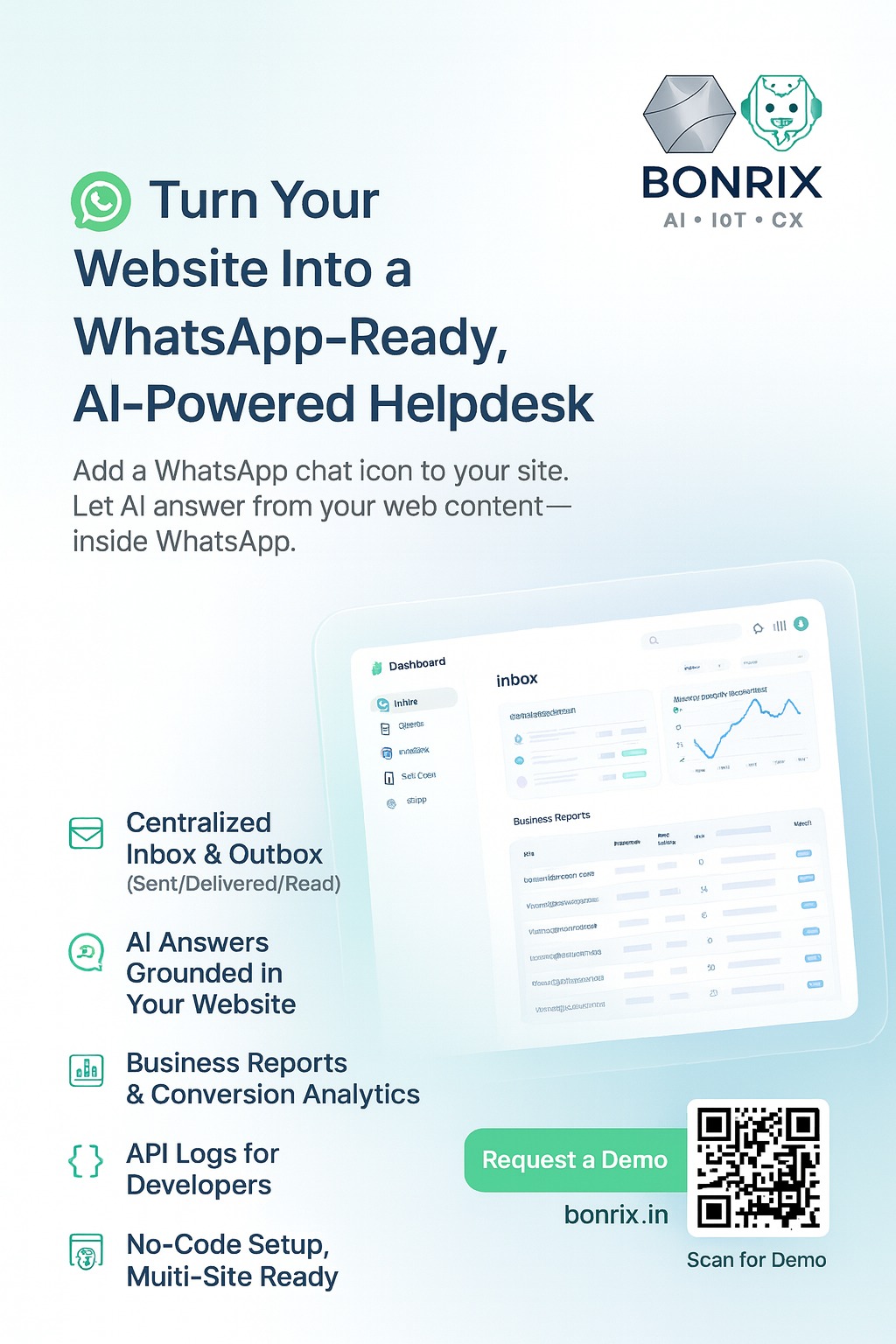
WhatsApp AI Dashboard - Revolutionize Your Business Communication! 🚀
Say hello to the WhatsApp AI Dashboard – your perfect partner for seamless, secure, and efficient management of your WhatsApp business interactions. 🌟
Platform: WhatsApp AI Dashboard
Purpose: Comprehensive management and analytics for WhatsApp business communications.
Our cutting-edge platform is designed to make managing customer interactions, tracking performance, and analyzing data hassle-free for both businesses and their users.
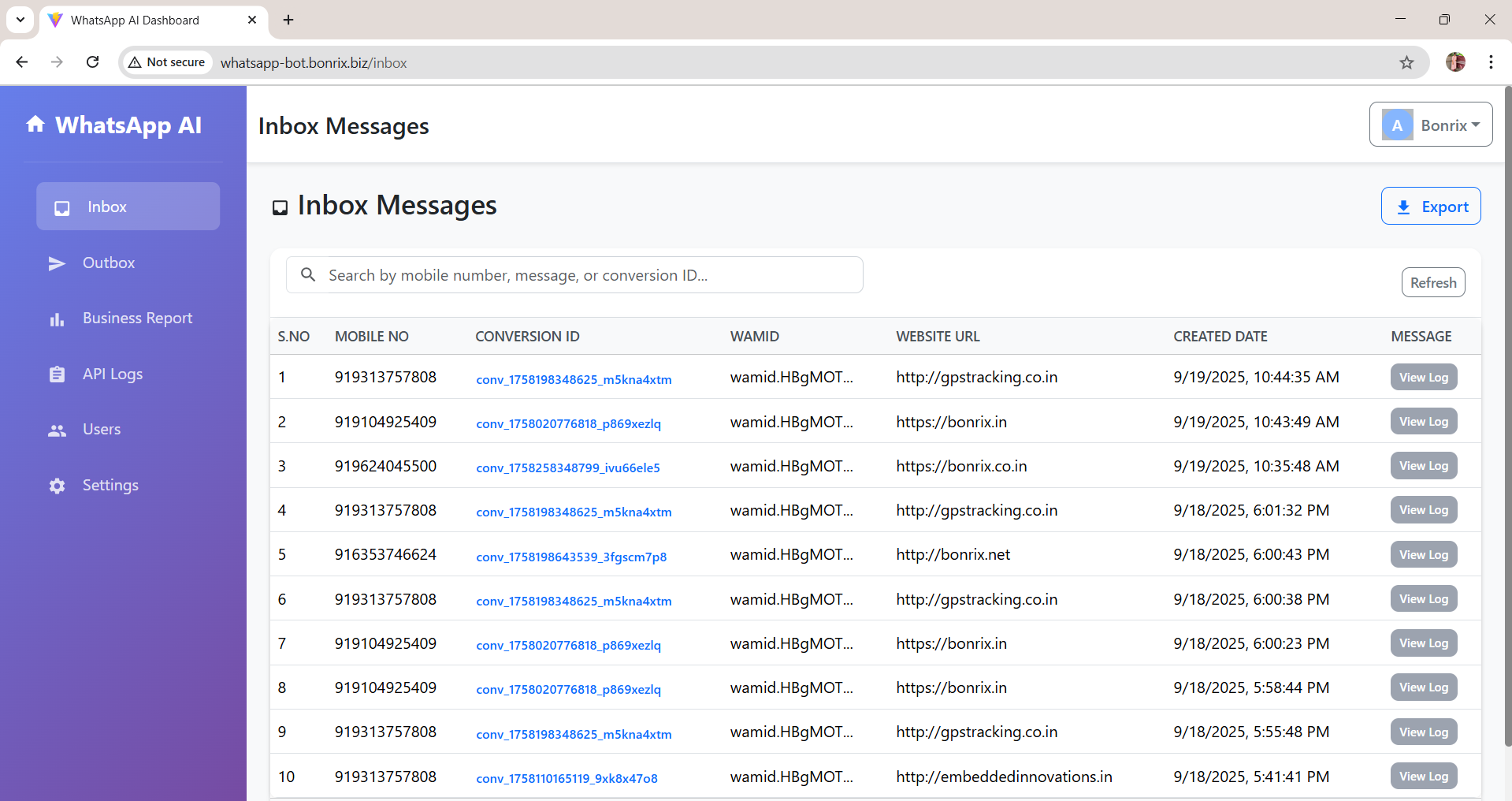
Inbox Messages: Displays all incoming WhatsApp messages with details like mobile number, conversion ID, WAMID, website URL, and creation date. Allows viewing full message logs.
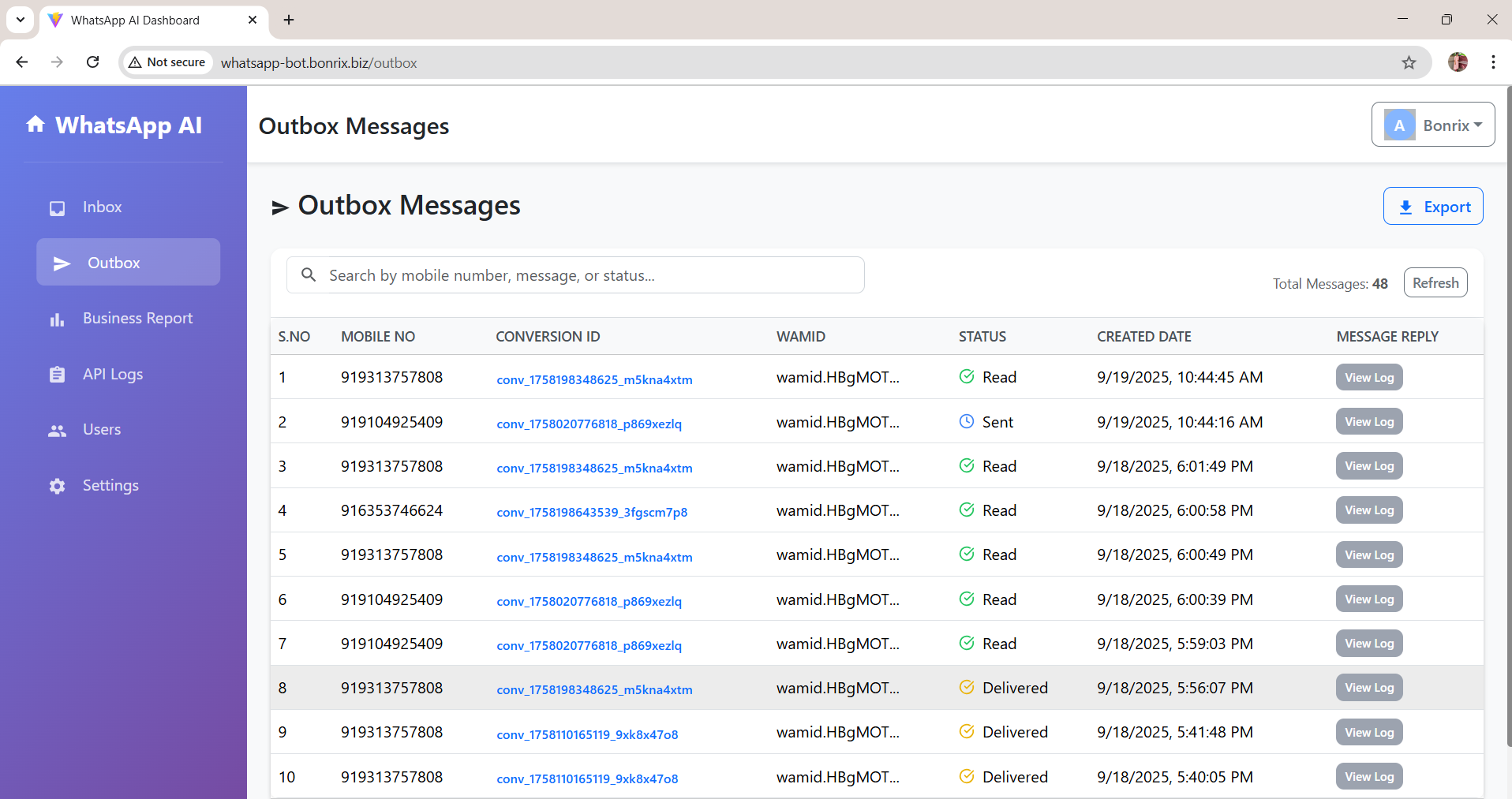
Outbox Messages: Shows all outgoing WhatsApp messages, including recipient's mobile number, conversion ID, WAMID, message status (Sent, Read, Delivered), creation date, and provides an option to view detailed chat history.
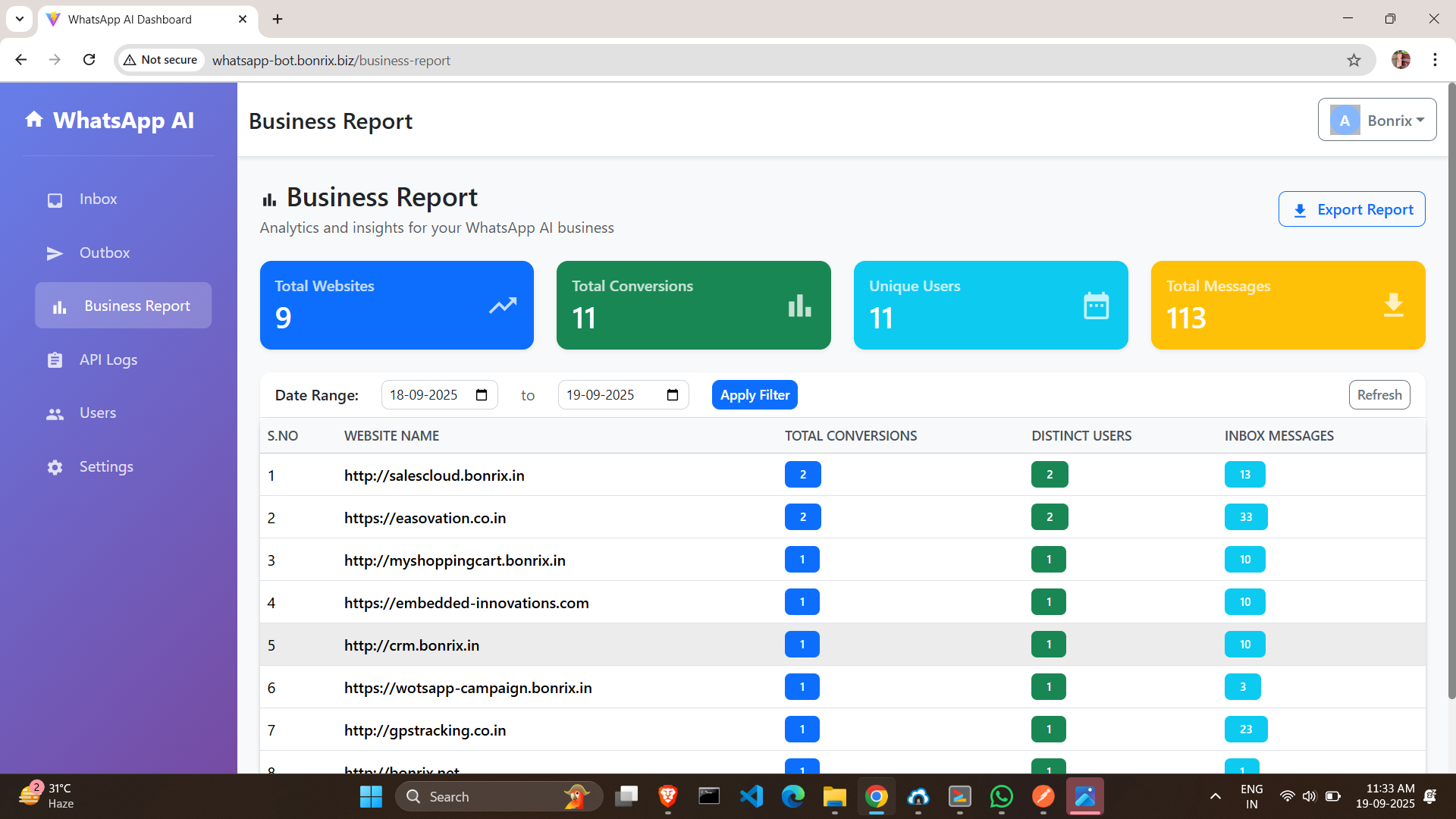
Business Report: An analytics hub offering key metrics such as Total Websites, Total Conversions, Unique Users, and Total Messages. Data can be filtered by date range and broken down by individual website.
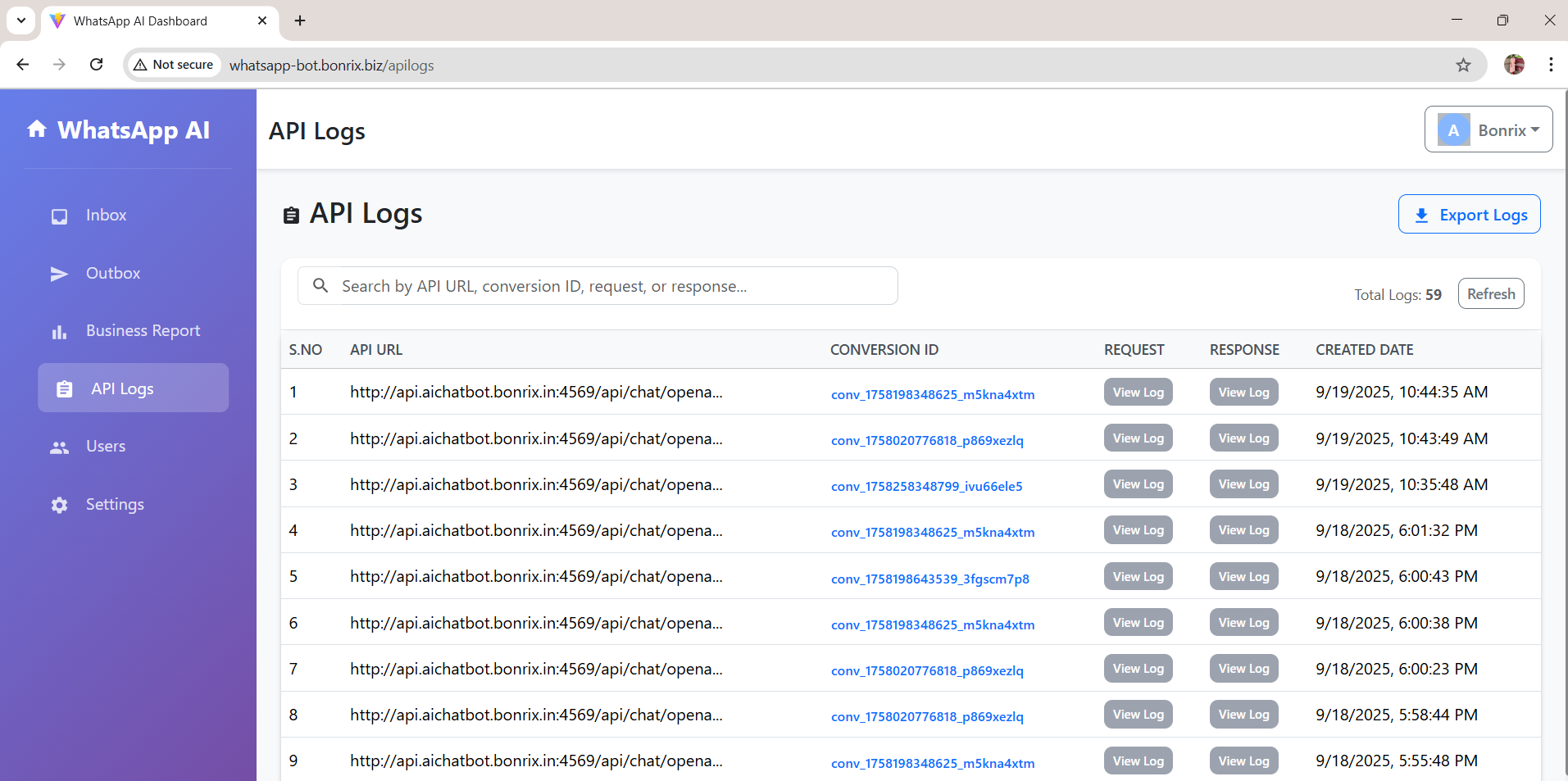
API Logs: Records all API calls, showing the API URL, conversion ID, request and response details, and creation date.
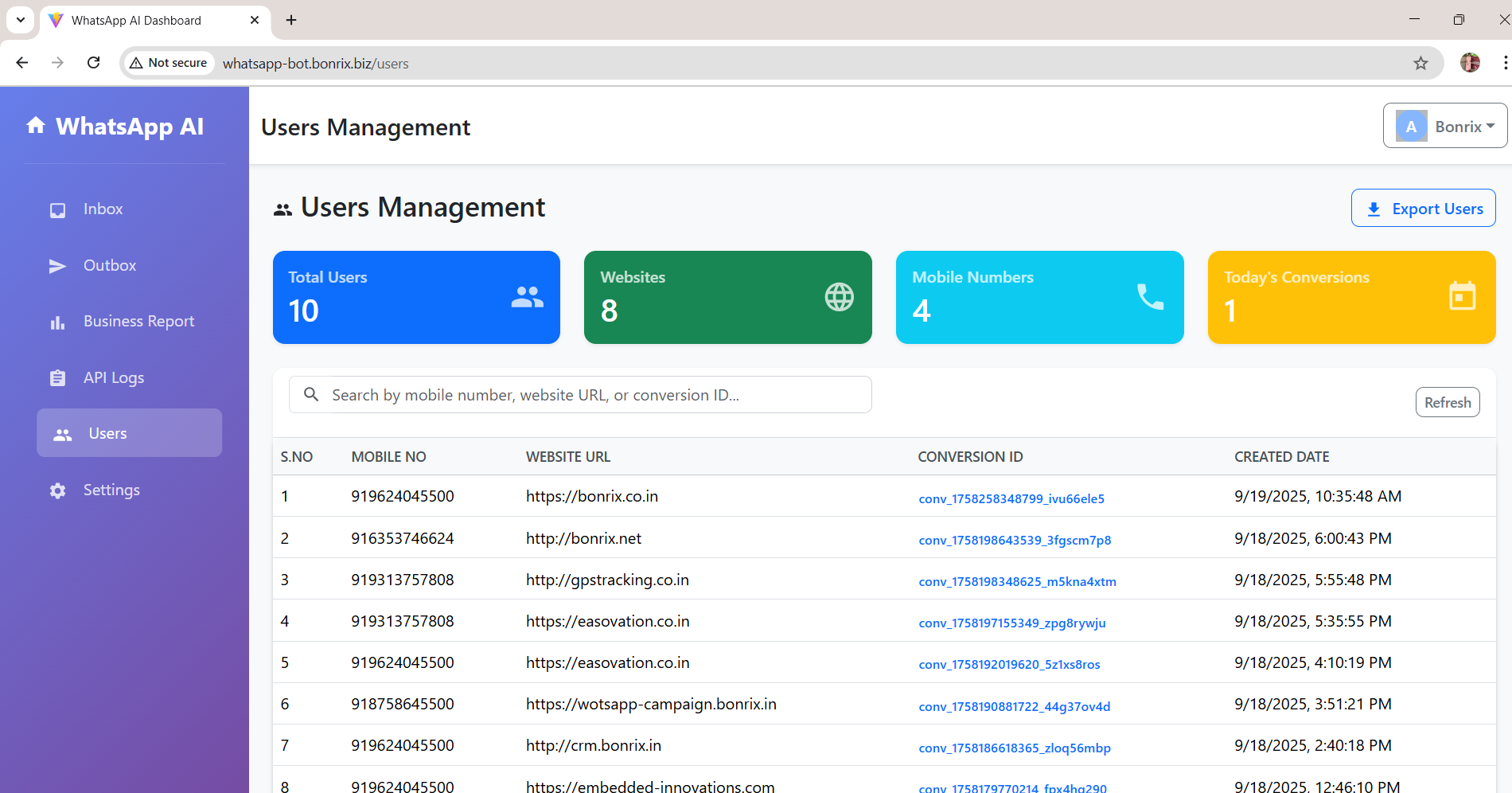
Users Management: Provides an overview of user activity, including Total Users, Websites, Mobile Numbers, and Today's Conversions, with a detailed list of individual users and their associated data.
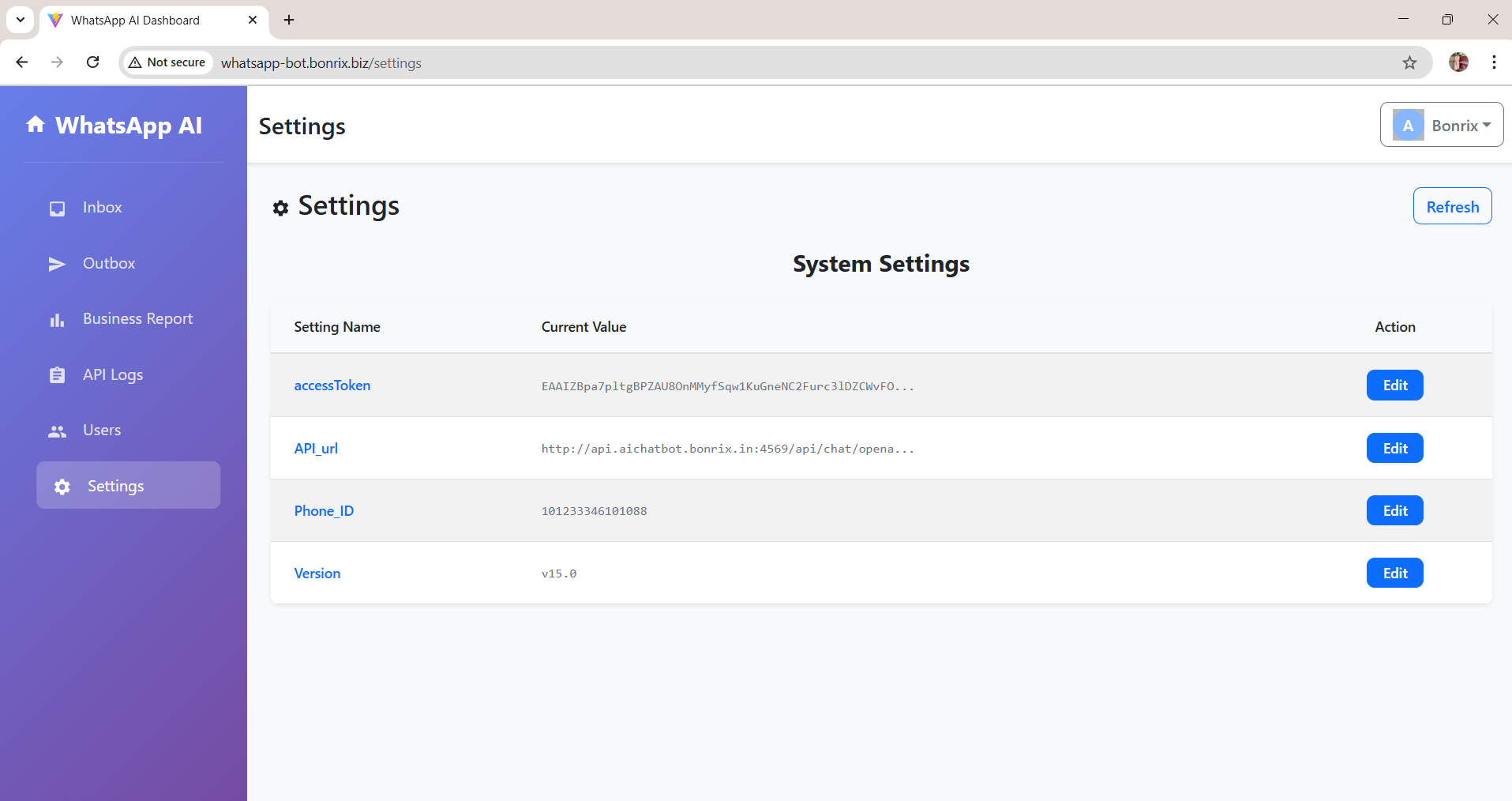
Settings: Allows configuration of system parameters such as access token, API URL, Phone ID, and displays the current software version (v15.0).
Take the leap into the future of intelligent business communication! Empower your business with the WhatsApp AI Dashboard today!
Bonrix Software Systems, Ahmedabad (Gujarat) - INDIA
+91 94260 45500 | +91 63524 45500 | +91 94290 45500
http://feescollection.bonrix.in | www.bonrix.net

Bonrix WhatsApp AI Chatbot Dashboard
Turn your website into a WhatsApp-ready, AI-powered helpdesk
Get Started TodayWhat It Does
Instant WhatsApp Handoff
- Place a small chat icon on any page
- Conversations continue on WhatsApp
AI Grounded in Your Site
- The bot answers using your website's content
- Accurate, consistent, brand-safe responses
No-Code Control Panel
- Manage messages, users, and websites
- API key management from one dashboard
How It Works
1
Connect Your Website
Add the chat icon snippet and your domain
2
Index Your Content
We fetch and keep your public web pages fresh
3
Go Live on WhatsApp
Customers chat; AI responds with citations from your site
Dashboard Modules
Inbox
- All incoming WhatsApp messages
- Mobile number, Conversion ID, WAMID
- Source Website URL, created date/time
- One-click full message log view
Outbox
- All outgoing messages
- Recipient number, Conversion ID, WAMID
- Status (Sent / Delivered / Read), timestamp
- Threaded chat history drill-down
Business Reports
- Single pane of analytics with date filters
- Per-website breakdowns
- Total Websites, Total Conversions
- Unique Users, Total Messages
API Logs
- Deep visibility for developers and operators
- API URL, Conversion ID
- Request + response payloads, timestamp
Users
- At-a-glance utilization
- Total Users, Websites, Mobile Numbers
- Today's Conversions
- Detailed user table with associated data
Settings
- All keys and knobs in one place
- Access Token, API URL, Phone ID
- Software Version (v15.0)
Why Teams Choose Bonrix
Centralized WhatsApp Ops
Manage all inbound/outbound threads from a single, intuitive UI
Status Clarity
Track message delivery and read receipts in real time
Data-Driven Growth
Measure conversions, engagement, and channel volume with clean reports
Developer-Friendly
Full API logging for quick troubleshooting and performance tuning
Popular Use Cases
Lead Capture & Qualification
Auto-answer, collect intent, and push hot leads to sales
Customer Support
Deflect FAQs with verified answers from your docs/policies
E-commerce Assistance
Product Q&A, shipping/returns, and guided checkout support
Education & Services
Course info, appointment booking, policy clarifications
Key Technical Notes
- WhatsApp Business compliant flow with WAMID & Conversion ID tracking
- Per-website analytics and filtering by date range
- Secure token & Phone ID management in Settings
- Versioned platform (v15.0) with audit-friendly API Logs
×
![Enlarged view]()
WhatsApp AI Dashboard - Revolutionize Your Business Communication! 🚀
Say hello to the WhatsApp AI Dashboard – your perfect partner for seamless, secure, and efficient management of your WhatsApp business interactions. 🌟
💼 Platform: WhatsApp AI Dashboard
Purpose: Comprehensive management and analytics for WhatsApp business communications.
Our cutting-edge platform is designed to make managing customer interactions, tracking performance, and analyzing data hassle-free for both businesses and their users.
Specifications at a Glance 💼
📥 Inbox Messages
Displays all incoming WhatsApp messages with details like mobile number, conversion ID, WAMID, website URL, and creation date. Allows viewing full message logs.
📤 Outbox Messages
Shows all outgoing messages including recipient number, conversion ID, WAMID, status (Sent, Read, Delivered), timestamp, and threaded chat history.
📊 Business Report
Analytics hub with metrics: Total Websites, Conversions, Unique Users, Messages. Filter by date & per-website breakdowns.
🔌 API Logs
Records all API calls — URL, conversion ID, request/response payloads, and timestamps for debugging & auditing.
👥 Users Management
Overview: Total Users, Websites, Mobile Numbers, Today’s Conversions. Detailed user table with associated data.
⚙️ Settings
Configure access token, API URL, Phone ID. Displays software version (v15.0). Secure, no-code adjustments.
Features & Advantages 💡
- Centralized Communication: Manage all WhatsApp messages from a single, intuitive interface.
- Enhanced Visibility: Track message statuses (Sent, Read, Delivered) and access detailed chat histories.
- Data-Driven Decisions: Use business reports to analyze performance, track conversions, and measure engagement.
- Efficient API Monitoring: Troubleshoot and optimize with full API request/response logs.
- Streamlined User Management: Easily oversee users, websites, and their activity in one place.
- Configurable System: Customize settings for flexibility — scale without code changes.
