
Bonrix Desktop Utility: Connect Bluetooth Weigh Scales to Web Applications via WebSocket
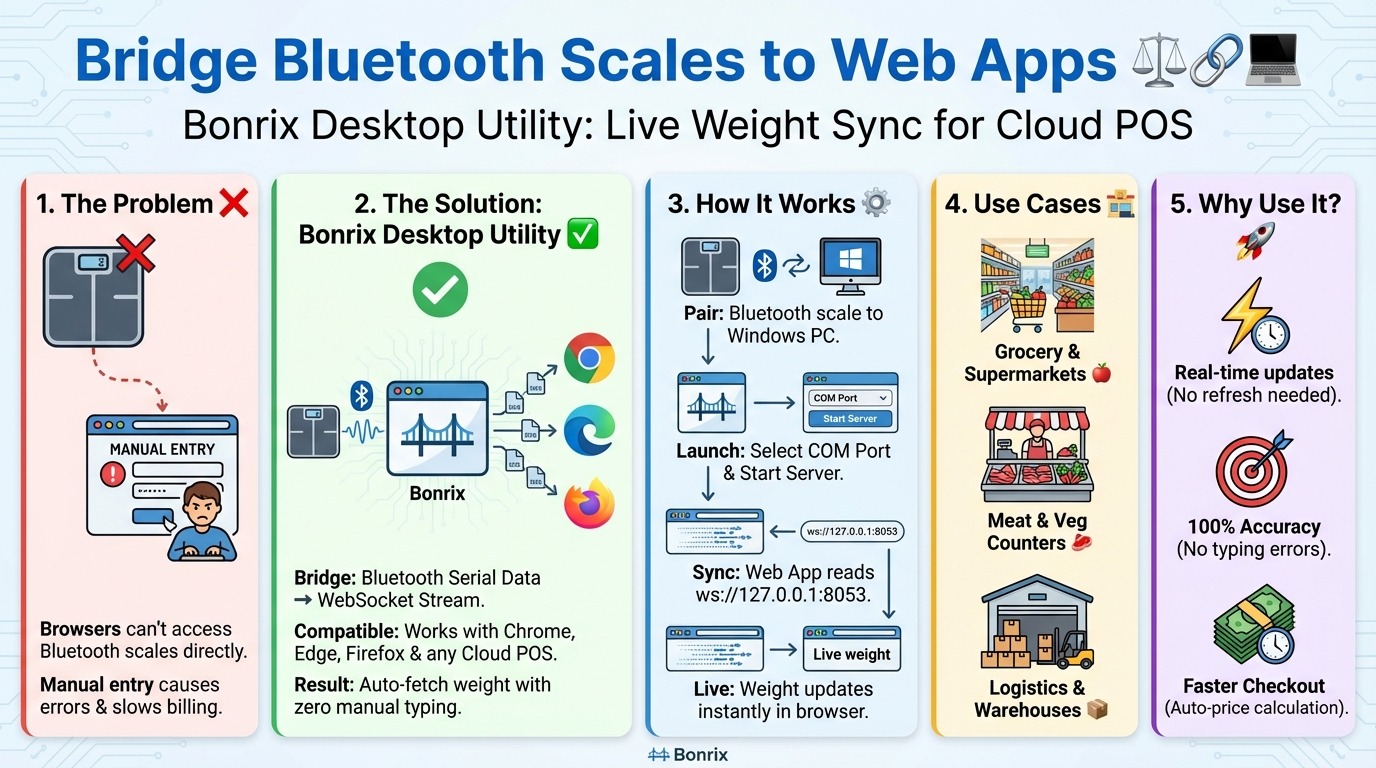
Is your web-based POS or ERP system struggling to integrate Bluetooth weigh scales? You’re not alone. In today’s cloud-driven retail world, browsers block direct Bluetooth serial access—making real-time weight-based billing seem impossible.
💡 Until now.
Introducing the Bonrix Desktop Utility – the lightweight bridge that seamlessly connects Bluetooth weighing scales to any web application via WebSocket!
🔗 What It Does
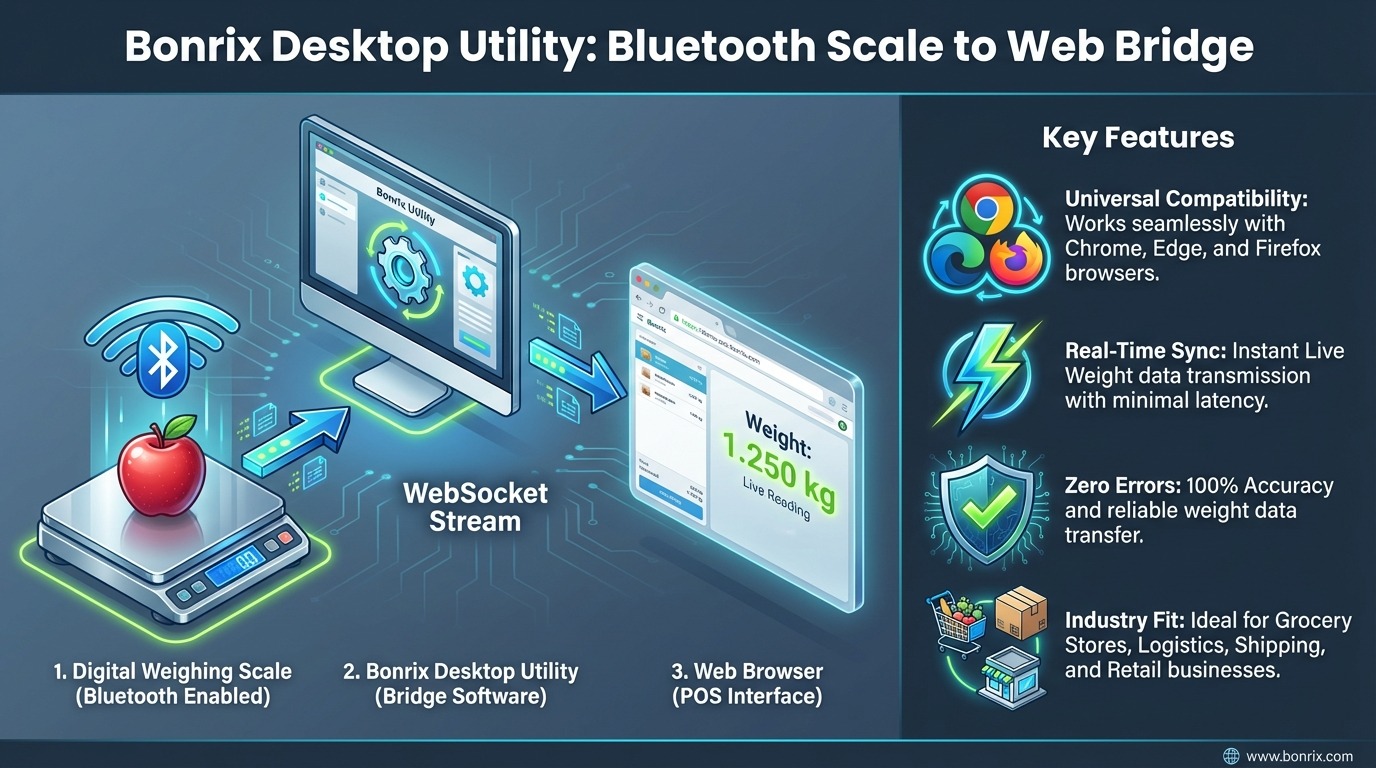
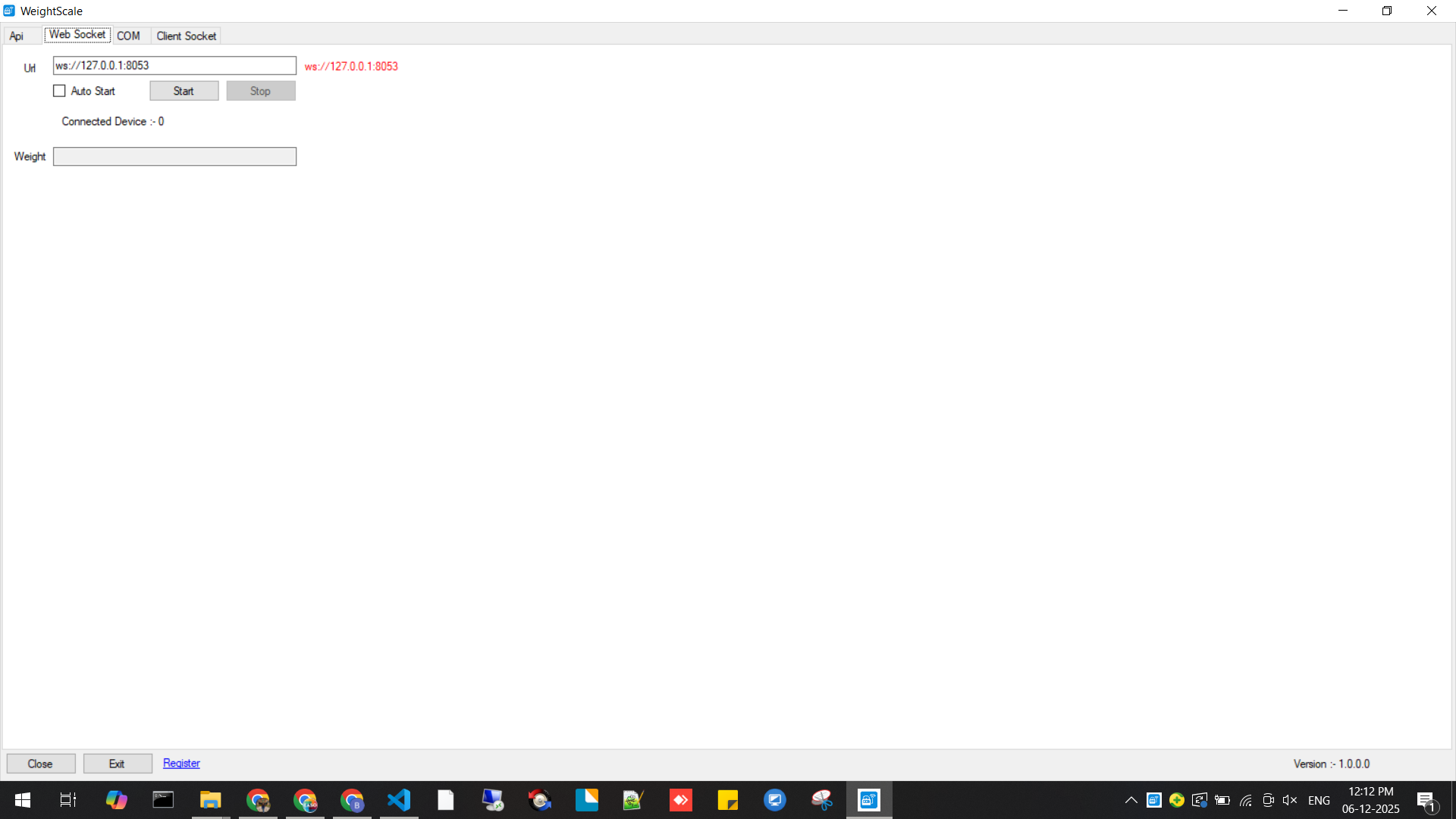
This utility pairs with your Bluetooth scale on a Windows PC and converts the scale’s serial output into a live WebSocket stream (e.g., ws://127.0.0.1:8053). Once active, your browser-based system can receive instant, real-time weight data without manual entry.
⚙️ Key Features
Bluetooth → WebSocket Bridge – Bypasses browser restrictions and delivers scale data to any WebSocket-compatible browser.
Real-Time Weight Streaming – Live weight updates appear instantly—no refresh, no polling.
Seamless POS & Billing Integration – Auto-fetch weight, fill item fields, calculate pricing, reduce errors.
Dynamic Payment Integration – Generate UPI QR codes instantly for smooth checkout.
✔ Suitable for billing in:
Fruit & vegetable stores
Meat & grocery counters
Wholesale markets
Logistics & packaging units
🛠️ How It Works – Simple & Efficient
Pair your Bluetooth scale with your Windows PC.
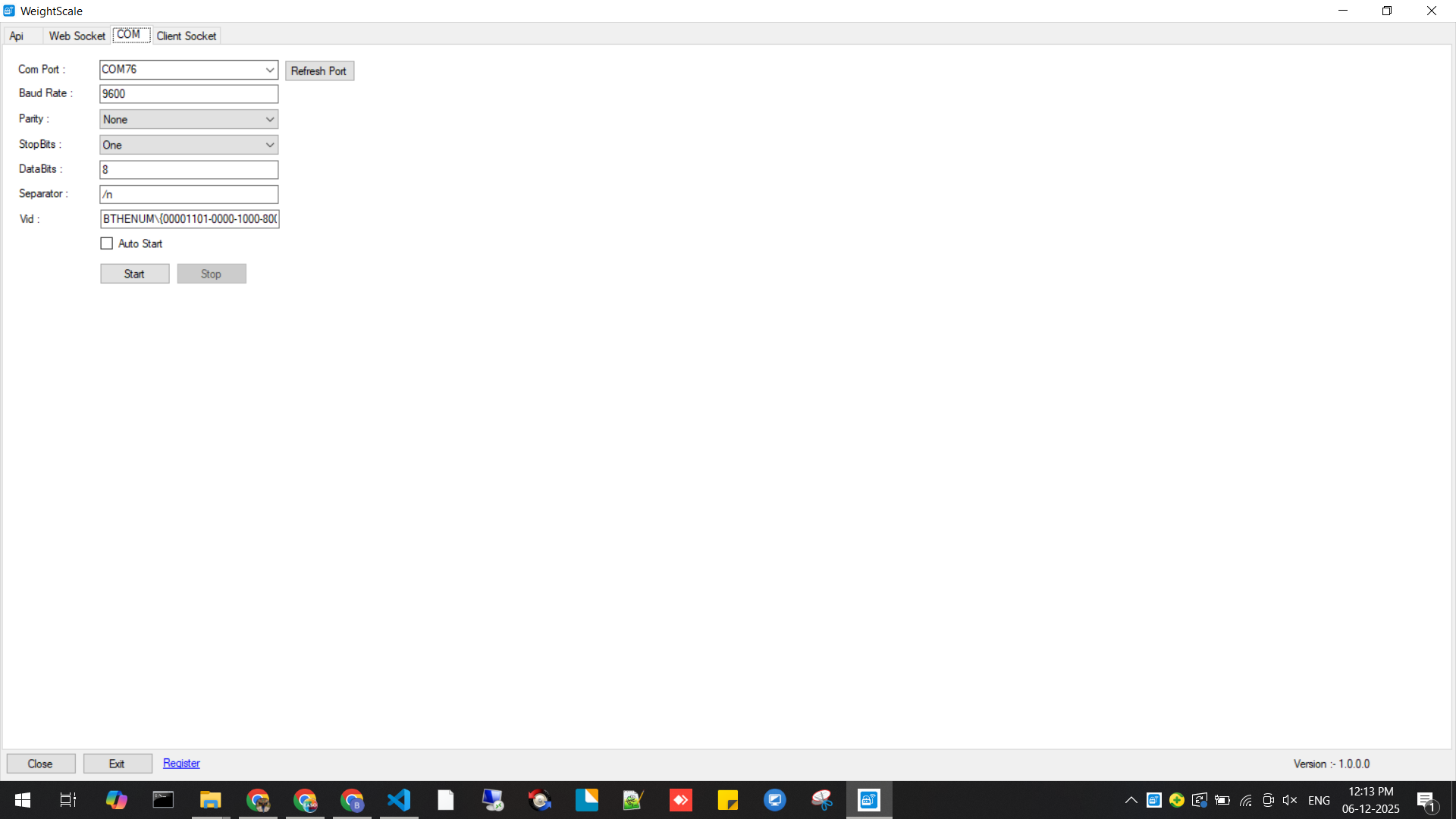
Launch Bonrix Desktop Utility and select COM Port + Baud Rate.
Start WebSocket server (e.g., ws://127.0.0.1:8053).
Configure your web POS to connect to the WebSocket URL.
Start weighing—view instant weight sync inside your web app.
Complete checkout using cash or integrated UPI payment.
🏪 Perfect For
Supermarkets & grocery stores
Fruit & vegetable vendors
Meat & fish shops
Logistics & warehouses
Retail chains using cloud POS
Any web ERP needing weight integration
🌟 Why Bonrix Utility?
Accurate, real-time weight capture
Faster billing & reduced queues
Full browser compatibility
Multi-client support
Error-free automated billing
Better payment flow via UPI integration
This isn’t just a tool—it’s a step toward true cloud-first retail technology.
#Bonrix #WeighingScale #POS #RetailTech #WebSocket #BluetoothIntegration #ERP #CloudPOS #DigitalBilling #RetailAutomation #UPIPayments #IoT #WeighBridge #WebBasedPOS #GroceryBilling #RetailInnovation #AutomationTools #SoftwareSolutions #BillingSystem #TechForRetail #WeighScaleIntegration #WebAppIntegration #BluetoothToWebSocket #POSBillingSolutions #DesktopUtility #WindowsApp #CloudComputing #DigitalTransformation #RetailSoftware #CheckoutTech #SmartRetail
Bonrix Software Systems, Ahmedabad (Gujarat) - INDIA
+91 94260 45500 | +91 63524 45500 | +91 94290 45500
http://feescollection.bonrix.in | www.bonrix.net
| File Name | Web Link |
|---|---|
| Testing Bonrix Desktop Utility: Connect Bluetooth Weigh Scales to Web Applications via WebSocket |

|
| Testing HTML File for Connect Bluetooth Weigh Scales to Web Applications via WebSocket |

|
| Testing HTML File for Weight Scale Serial Reader |
|
| Testing HTML File for Connect Bluetooth Weigh Scales to Web Applications via WebSocket |
|

×
![]()
Bonrix Desktop Utility: Connect Bluetooth Weigh Scales to Web Apps via WebSocket
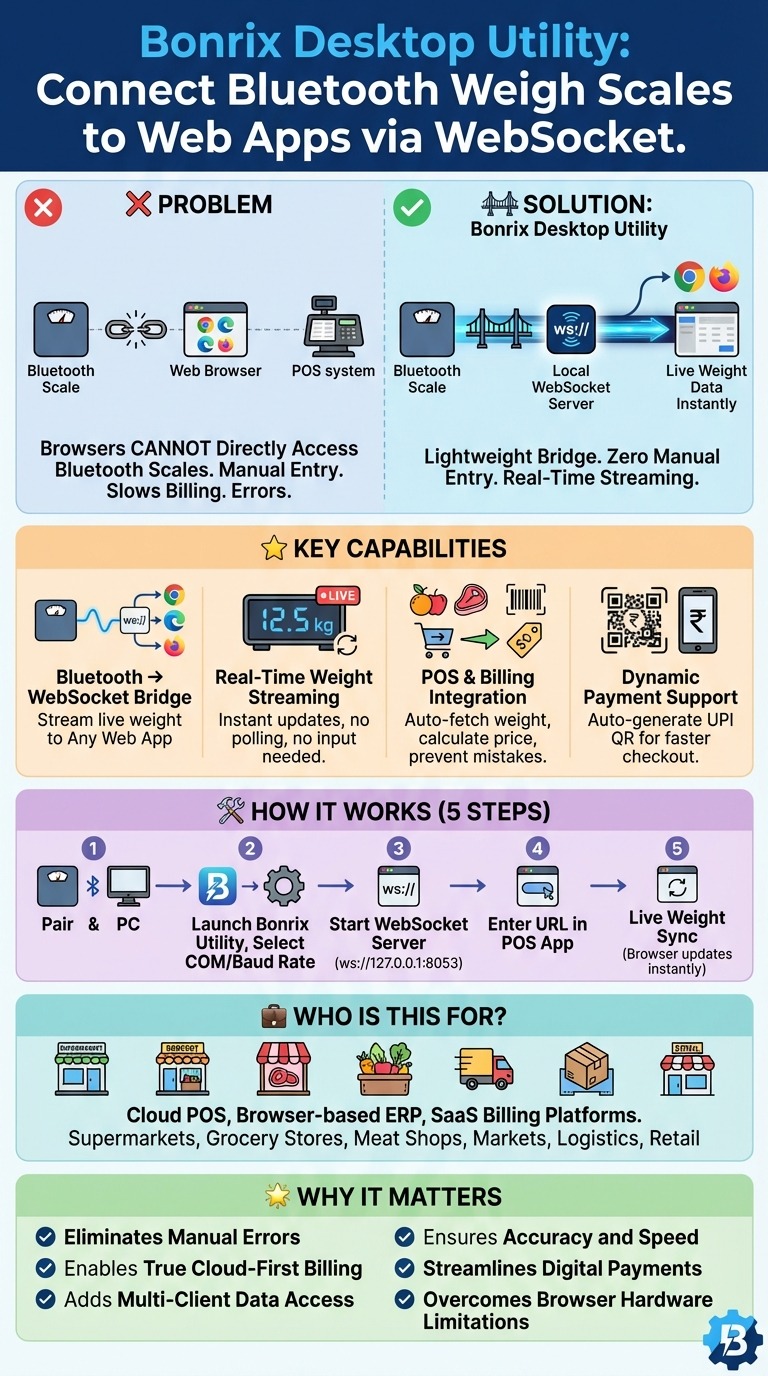
Web-based POS and billing systems are growing fast, but one major limitation remains—browsers cannot directly access Bluetooth weighing scales. This creates manual work, slows down billing, and increases the chance of errors.
To solve this, we built the Bonrix Desktop Utility, a lightweight bridge that converts Bluetooth weigh scale serial data into a local WebSocket stream. Any browser-based POS, ERP, or billing system can instantly subscribe and fetch live weight data with zero manual entry.
⭐ Key Capabilities
🔹 Bluetooth → WebSocket Bridge
Connect any Bluetooth weighing scale to your Windows PC and stream weight live to:
Chrome • Edge • Firefox • Any web app with WebSocket support.
🔹 Real-Time Weight Streaming
Live weight updates appear instantly—no refresh, no polling, no keyboard input.
🔹 POS & Billing Integration
Auto-fetch weight → calculate price → add items to cart → prevent manual-entry mistakes.
Perfect for: fruits/vegetables, meat counters, grocery stores, scrap yards, warehouses, and retail billing.
🔹 Dynamic Payment Support
After weight-based billing, your POS can auto-generate a dynamic UPI QR code, enabling faster digital checkout.
🛠 How It Works
1️⃣ Pair your Bluetooth weighing scale with the Windows PC.
2️⃣ Launch the Bonrix Desktop Utility and select COM Port + Baud Rate.
3️⃣ Start the WebSocket server (ex: ws://127.0.0.1:8053).
4️⃣ Enter the WebSocket URL in your POS/web app.
5️⃣ Live weight sync begins—your browser updates instantly as items are placed on the scale.
💼 Who Is This For?
Businesses using cloud POS, browser-based ERP, or SaaS billing platforms that need reliable hardware integration without modifying existing software.
Ideal for:
Supermarkets • Grocery stores • Meat shops • Fruit & vegetable markets • Logistics • Packaging units • Retail chains.
🌟 Why It Matters
✔ Eliminates manual errors
✔ Enables true cloud-first billing
✔ Adds multi-client data access
✔ Ensures accuracy and speed
✔ Streamlines digital payments
✔ Overcomes browser hardware limitations
#Bonrix #WeighingScale #POS #RetailTech #WebSocket #BluetoothIntegration #ERP #CloudPOS #DigitalBilling #RetailAutomation #UPIPayments #IoT #WebBasedPOS #RetailInnovation #BillingSystem #TechForRetail #WeighScaleIntegration #WebAppIntegration #BluetoothToWebSocket #POSBillingSolutions #DesktopUtility #WindowsApp #CloudComputing #DigitalTransformation
