Bonrix Cloud Printer Hub – Print Anywhere from Anywhere with API, MQTT & Remote Printer Connectivity
.jpeg)
.jpeg)
🖨️ Bonrix Cloud Printer HUB — Print Anything, From Anywhere, To Any Printer ☁️
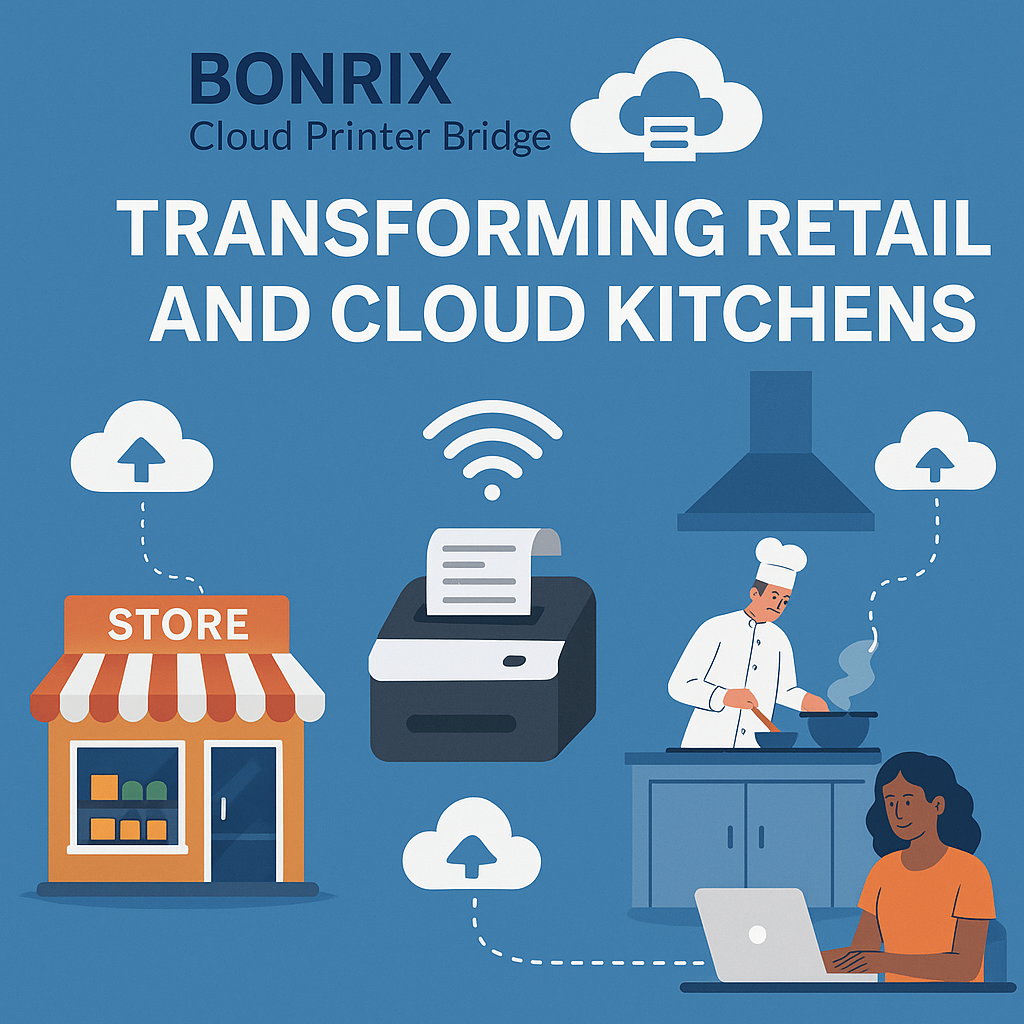
Imagine you are billing at one office, but the invoice must come out of a printer sitting in another office across the city. You are running a cloud kitchen and an order placed on an app from three kilometres away must instantly print on the kitchen's ticket printer. Conventional LAN, USB, and Bluetooth printers cannot solve this—they were designed for a room, not for a country. Enter the Bonrix Cloud Printer HUB—a complete cloud-based remote printing architecture by Bonrix Software Systems that connects your software, orders, and printers over the internet so any print command issued anywhere can reach any physical printer within seconds.
🌟 How The System Works — The Three Layer Architecture
🔹 Layer 1 — The Physical Printer and Its Control Node
The end printer is connected with control hardware or software over USB, Bluetooth, or Serial port. This control node can be a Windows Desktop/PC, an Android phone/tablet, or a specialized Bonrix Cloud Bridge Printer Hardware device. Reuse your existing hardware and computing devices with zero expensive proprietary lock-in.
🔹 Layer 2 — The Cloud MQTT Server
The control hardware/software connects with the Cloud MQTT Server using a unique printer identifier. MQTT is a lightweight, reliable, low-latency messaging protocol built for IoT—ensuring print jobs travel securely and instantly, use minimal bandwidth, and automatically retry even on unstable WiFi or 4G connections.
🔹 Layer 3 — The API Panel, Web Console and Virtual Printer Driver
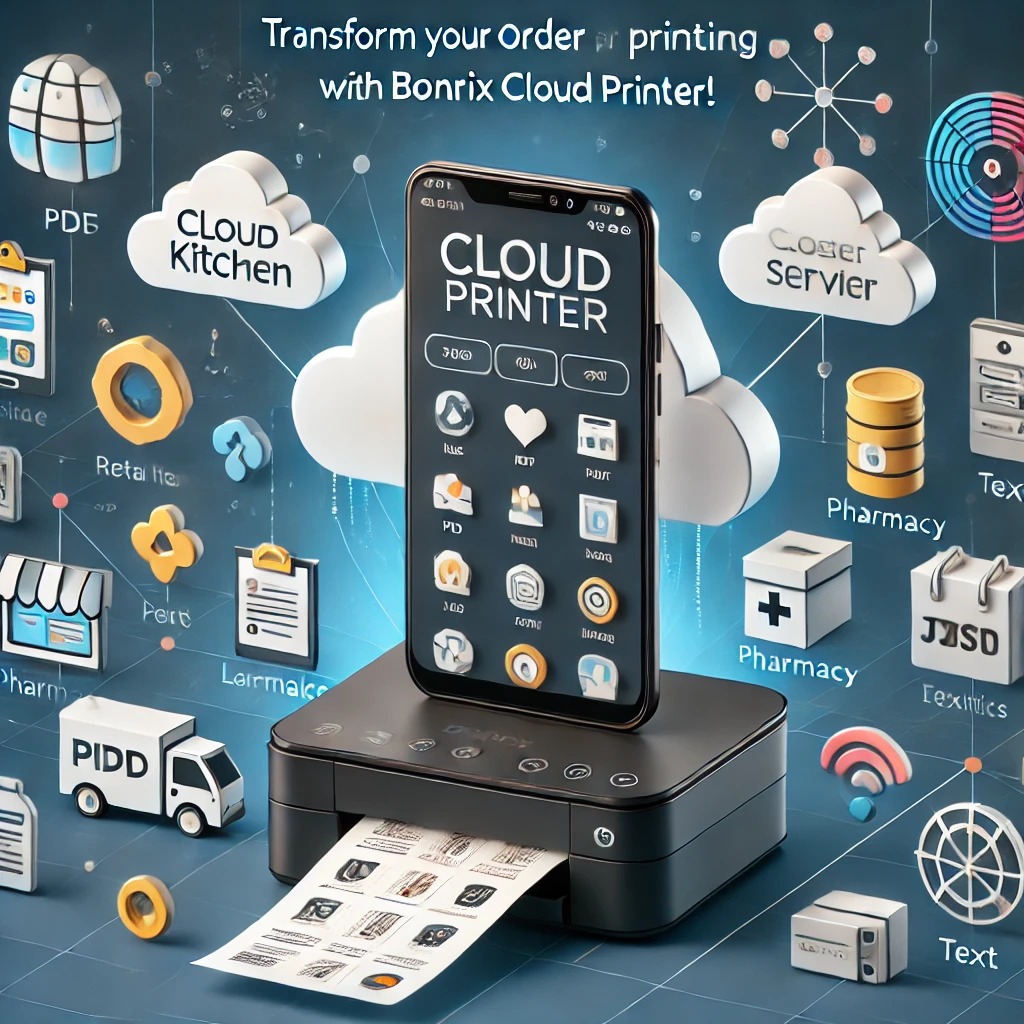
Manage, configure, and monitor printers via the API Panel / Printer Web Console. A robust Print API lets any third-party software—billing ERP, e-commerce platform, POS, cloud kitchen ordering system, or web/Android app—directly call the API to send a PDF, Image, or Text to a target printer remotely over the cloud.
🚀 Two Ways To Print
- 1. Direct API Integration: Third-party software calls the Bonrix Print Hub API and pushes PDF / Image / Text to a target printer ID.
- 2. Virtual Cloud Printer: Bonrix provides a Virtual Cloud Printer Driver for Windows and App for Android. When printing from any application (browser, Tally, Word, Excel, billing software), jobs route automatically through the Cloud MQTT Server to the remote physical printer with zero code changes.
📌 Key Use Cases
🔹 Remote Office Billing: Print invoices from head office on a branch office printer.
🔹 Cloud Kitchen Order Printing: Online orders auto-print on kitchen KOT printers.
🔹 E-Commerce Warehouse: Orders and shipping labels print instantly at the warehouse.
🔹 Retail Chains & Multi-Outlet Stores: Central price lists, receipts, reports pushed to any outlet.
🔹 Field Operations, Logistics & Delivery: POD receipts and manifests printed at remote depots.
💡 Why Bonrix Cloud Printer HUB
Everything is monitored easily from a single dashboard—printer status, connectivity, job queue, and history. Setup is simple and quick. It is a low-cost option compared to dedicated leased lines or proprietary hardware, offering complete flexibility on both sides (hardware and connection via WiFi, 4G, LAN, or internet).
💥 Get Started Today
Connect your software, orders, and printers over the cloud and start printing from anywhere in the world within seconds!
📍 Bonrix Software Systems, Ahmedabad, Gujarat (INDIA) — since 2001.
🌐 Portals & Web:
Print Cloud |
Print Hub |
Cloud Kitchen Solutions |
www.bonrix.co.in
📞 Phone:
+91 94290 45500 |
+91 94260 45500
✉️ Email: info@bonrix.net
Extended List of Related Hashtags:
#CloudPrinter #CloudPrinting #RemotePrinting #PrintFromAnywhere #BonrixCloudPrinter #CloudPrinterHUB #BonrixPrintHub #BonrixPrintCloud #MQTTPrinter #MQTTCloudPrinter #IoTPrinter #IoTPrinting #CloudKitchenPrinter #KitchenOrderPrinting #KOTPrinter #CloudKitchenSolutions #OrderPrintingSolution #EcommercePrinter #WarehousePrinting #WarehouseLabelPrinting #RemoteOfficePrinting #VirtualPrinterDriver #VirtualCloudPrinter #CloudPOSPrinter #CloudThermalPrinter #ThermalReceiptPrinter #WiFiPrinter #4GPrinter #BluetoothPrinter #USBPrinter #SerialPortPrinter #CloudBridgePrinter #PrinterAPI #PrintAPI #WebPrintConsole #PrinterWebConsole #RemotePrintManagement #CloudPrintManagement #PrintAutomation #OrderAutomation #OnlineOrderPrinting #DigitalPrinting #SmartPrinting #IoTSolutions #MQTTProtocol #CloudBasedPrinting #PointOfSale #POSSolutions #RetailTechnology #RestaurantTechnology #FoodTech #DeliveryApp #BonrixSoftwareSystems #Ahmedabad #Gujarat #India #MadeInIndia #ITSolutions #BusinessAutomation #DigitalTransformation #SmallBusinessTools #SMBIndia #PrintAnywhere #ConnectedPrinter #SmartKiosk #CloudKitchenOrderingSystem #MultiLocationPrinting #PaperlessToPrint #InstantPrinting #OrderToPrint #Bonrix #CloudPrintingSolution #PrintHubAPI #AndroidPrinterApp #WindowsPrinterDriver #ThermalPrinting #ReceiptPrinter #LabelPrinter #RemotePrinterAccess #CloudInfrastructure #EfficientOperations #LowCostSolution #FlexibleHardware #ScalablePrinting
Bonrix Cloud Printer Hub – Print Anywhere from Anywhere with API, MQTT & Remote Printer Connectivity
☁️ How Bonrix Cloud Printer HUB Works
At the remote location, the physical printer can be connected to a compatible printer controller using supported interfaces such as:
• USB
• Bluetooth
• Serial Port
• LAN / Network
• Other supported printer communication interfaces
The printer controller can be selected according to the customer's requirements, existing infrastructure, deployment environment, and budget. Depending on the implementation, the controller may be:
Windows Desktop or Windows PC
• Android Smartphone
• Android Tablet
• Dedicated Printer Controller Software
• Specialized Bonrix Cloud Printer Bridge Hardware
• Embedded IoT Printing Device
• Custom Printer Gateway Hardware
The controller software or hardware maintains a connection with the Bonrix Cloud MQTT Server using its unique device or printer identifier. This unique identity allows the Bonrix Cloud Printer HUB platform to identify the specific remote printer that should receive a particular print job.
Basic Communication Flow:
Business Application → Bonrix Print API → Cloud Print HUB → Cloud MQTT Server → Remote Printer Controller → Physical Printer
🖥️ Printer Web Console & API Management Panel
Businesses can receive access to a centralized Printer Web Console / API Management Panel for managing their cloud-connected printing infrastructure.
Through the management console, authorized users can configure printers, manage printer identifiers, monitor printer connections, and integrate third-party applications with the Bonrix Cloud Printing infrastructure.
Once a printer is configured and connected to the Bonrix Cloud MQTT Server, an authorized application can remotely send print jobs to that specific printer through the provided API.
API Integration Possibilities:
• ERP Software
• Billing Software
• POS Systems
• Restaurant Management Software
• E-Commerce Platforms
• Warehouse Management Systems
• Order Management Systems
• CRM / ERP Platforms
• Web Applications
• Mobile Applications
• SaaS Platforms
• Cloud-Based Business Applications
Depending on the printer, controller, and integration, the system can support printable content such as PDF documents, images, text, invoices, receipts, kitchen order tickets, packing slips, order details, labels, reports, and other supported print content.
🖨️ Virtual Cloud Printer for Windows
Bonrix can also provide a Virtual Cloud Printer Driver for Windows. From the user's point of view, the virtual printer can work similarly to selecting a conventional printer from a Windows application.
For example, an employee can generate an invoice in billing software and select Bonrix Virtual Cloud Printer instead of a locally connected printer. The print job can then be routed through the Bonrix Print Cloud infrastructure to the configured remote printer.
Windows Printing Flow:
Windows Application → Bonrix Virtual Cloud Printer → Bonrix Cloud Print API → Cloud MQTT → Remote Printer Controller → Physical Printer
This architecture can simplify remote printing because the employee generating the document does not need to manage the technical details of the remote printer connection.
📱 Virtual Cloud Printer App for Android
A similar architecture can be implemented using a Virtual Cloud Printer App for Android smartphones and tablets. Depending on application support and configuration, users can initiate printing from Android devices and route print jobs through the Bonrix Cloud Printer HUB to a registered remote printer.
This provides flexibility for businesses where employees operate using Android tablets, smartphones, handheld devices, or Android-based POS systems.
🍽️ Restaurant & Cloud Kitchen Printing
One of the practical applications of Bonrix Cloud Printer HUB is remote kitchen order printing.
For example, when an order is received through a restaurant website, online ordering platform, or centralized order management application, the application can call the Bonrix Print API after order confirmation.
The Cloud Printer HUB can identify the configured restaurant and printer, transmit the print command through MQTT, and deliver the order to the remote kitchen printer. This can reduce the need for kitchen operators to repeatedly check a website or manually refresh an application for new orders.
🛒 E-Commerce & Warehouse Printing
For e-commerce businesses, confirmed orders can be routed to the appropriate warehouse printer for packing and fulfillment workflows.
Example Flow:
Customer Order → E-Commerce Server → Bonrix Print API → Warehouse Printer
Depending on the business logic implemented by the integrating application, orders can potentially be routed to different printers based on warehouse, city, branch, department, seller, order type, or other configured parameters.
This can help packing teams receive order information quickly and streamline warehouse order-processing workflows.
🏢 Multi-Office Remote Printing
Another common application is remote printing between multiple offices or business locations. An invoice or document may be generated at one office while the physical document needs to be printed at another location.
Instead of manually downloading the PDF, emailing it, forwarding it through messaging applications, and asking someone at the destination to print it, an integrated application can directly send the document to the configured destination printer.
Potential Applications:
• Head Office to Branch Office Printing
• Branch-to-Branch Printing
• Billing Counter Printing
• Warehouse Documentation
• Factory Production Documents
• Dispatch Instructions
• Delivery Challans
• Purchase Orders
• Retail Store Receipts
• Service Center Job Sheets
🔧 Flexible Hardware Architecture
One of the key advantages of the Bonrix Cloud Printer HUB concept is its flexible controller architecture. Businesses are not restricted to a single type of printer gateway.
Depending on the deployment environment, the printer gateway can be implemented using a Windows computer, Android device, embedded controller, dedicated Bonrix Cloud Printer Bridge hardware, or custom printer gateway.
This flexibility makes the solution adaptable to different deployment environments, from smaller installations to larger multi-location business and enterprise deployments.
📊 Centralized Monitoring & Management
The system is designed around centralized cloud connectivity, helping administrators manage distributed printers through a unified environment. Depending on the deployment and configuration, businesses can monitor printer registration, connectivity, device identification, print routing, and remote printing infrastructure.
Instead of creating complex VPN-based networks between different offices and locations, the Bonrix Cloud Printer HUB architecture can provide an Internet-based approach for connecting applications with remote printers.
🚀 Key Advantages
🌐 Print from Anywhere to Anywhere
Applications can send print jobs to configured remote printers without requiring the application and physical printer to be on the same local network.
🔌 API-Based Integration
Existing ERP, POS, billing, e-commerce, SaaS, and business applications can integrate remote printing into their existing workflows through APIs.
☁️ MQTT-Based Cloud Communication
MQTT provides an efficient communication mechanism between cloud services and remote printer controllers for delivering print jobs.
🔧 Multiple Hardware Options
Windows, Android, embedded controllers, and specialized cloud printer bridge hardware can be used depending on project requirements.
🔗 Multiple Connectivity Options
USB, Bluetooth, Serial, LAN/Network, and other supported printer interfaces provide deployment flexibility.
📊 Centralized Management
Businesses can manage distributed printing environments through a centralized cloud platform.
💰 Flexible Deployment Costs
Depending on the implementation, existing Windows PCs, Android devices, or suitable printer hardware may be utilized to help reduce additional infrastructure requirements.
📈 Scalable Architecture
The same cloud printing concept can be deployed for a single remote printer or scaled across multiple branches, warehouses, restaurants, kitchens, offices, and other business locations.
🏭 Typical Applications
• Restaurant Kitchen Order Printing
• Cloud Kitchen Printing
• Online Food Order Printing
• E-Commerce Order Printing
• Warehouse Packing Slip Printing
• Remote Invoice Printing
• Branch Office Printing
• Retail POS Printing
• Hospitality Order Printing
• Pharmacy Order Printing
• Factory & Production Printing
• Delivery Challan Printing
• Logistics Documentation
• Courier Label Printing
• Remote Receipt Printing
• Multi-Location Business Printing
• ERP Cloud Printing
• SaaS Application Printing
• Android-to-Remote-Printer Printing
• Windows-to-Remote-Printer Printing
• IoT-Based Printer Connectivity
🌐 Bonrix Cloud Printing Platforms
Bonrix Print Cloud:
https://printcloud.bonrix.in/
Bonrix Print Hub:
http://cloudprinthub.bonrix.in/
Example Solution & Additional Information:
https://www.bonrix.co.in/bonrix-cloud-kitchen-and-order-printing-solutions.html
📞 Contact Bonrix Software Systems
Bonrix Software Systems
Ahmedabad, Gujarat, INDIA
Website: https://www.bonrix.co.in
Phone: +91 94290 45500 | +91 94260 45500
Email: info@bonrix.net
Whether you want to print a restaurant order directly in the kitchen, send e-commerce orders to a warehouse, print invoices at remote branches, integrate printing into your SaaS application, or create a customized cloud-connected printing network, Bonrix Cloud Printer HUB provides a flexible bridge between your software applications and physical printers located anywhere.
#Bonrix #BonrixSoftwareSystems #BonrixCloudPrinter #BonrixCloudPrinterHub #CloudPrinterHub #CloudPrinting #RemotePrinting #PrintAnywhere #PrintFromAnywhere #CloudPrint #CloudPrinter #RemotePrinter #InternetPrinting #MQTT #MQTTPrinting #CloudMQTT #MQTTPrinter #IoTPrinting #IoTPrinter #PrinterAPI #PrintAPI #CloudPrintAPI #RemotePrintAPI #APIIntegration #PrinterIntegration #VirtualPrinter #VirtualCloudPrinter #WindowsVirtualPrinter #AndroidCloudPrinter #AndroidPrinting #WindowsPrinting #USBPrinter #BluetoothPrinter #SerialPrinter #NetworkPrinter #POSPrinter #ThermalPrinter #ReceiptPrinter #KitchenPrinter #KitchenOrderPrinting #CloudKitchen #CloudKitchenPrinting #RestaurantPrinting #RestaurantTechnology #RestaurantAutomation #FoodOrderPrinting #OnlineOrderPrinting #EcommercePrinting #EcommerceAutomation #WarehousePrinting #WarehouseAutomation #PackingSlip #PackingSlipPrinting #OrderPrinting #OrderManagement #BillingSoftware #BillingAutomation #InvoicePrinting #RemoteInvoicePrinting #ERP #ERPIntegration #ERPPrinting #POS #POSIntegration #POSPrinting #SaaS #SaaSIntegration #SaaSPrinting #BusinessAutomation #RetailAutomation #RetailTechnology #BranchOffice #MultiBranch #MultiLocationBusiness #MultiLocationPrinting #OfficeAutomation #IoT #EmbeddedSystems #CloudTechnology #CloudAutomation #PrintManagement #PrinterManagement #PrinterMonitoring #RemotePrinterManagement #DigitalTransformation #EnterprisePrinting #SmartPrinting #AutomaticPrinting #PrintServer #CloudPrintServer #PrinterGateway #CloudPrinterGateway #PrinterBridge #CloudPrinterBridge #EmbeddedPrinterGateway #AndroidPOS #WindowsPOS #OrderAutomation #WarehouseManagement #LogisticsTechnology #DispatchAutomation #RetailPOS #ThermalPrinting #CloudPOS #Ahmedabad #Gujarat #India #MadeInIndia #IndianSoftware #BonrixIndia
| File Name | Downloads |
|---|---|
| Bonrix Cloud Printer |

|
| Bonrix Printer Hub |
|
| Bonrix Cloud Printer Exe. |

|