

GPS Vehicle Tracking System Android App
Fleet Management System Dashboard
Comprehensive vehicle tracking and monitoring solutions
1. Vehicle Route History (Map View)
This screenshot displays the historical travel path of a monitored vehicle, visually confirming the journey taken between major cities. The map clearly outlines a long-distance route connecting Ahmedabad in the south to Jodhpur in the north, passing through various towns in Gujarat and Rajasthan.
2. Engine On/Off Control & Monitoring
This image shows a crucial remote control and live status monitoring interface. The main overlay offers immediate, high-security actions to START or STOP the vehicle's engine remotely, a vital feature for security and preventing theft.
3. Fleet Summary Report
This is a concise, high-level daily summary report for a single vehicle within a fleet. The report clearly indicates the Total KM covered by the vehicle on a specific date, 01-10-2025. The total distance recorded is 668.61 KM.
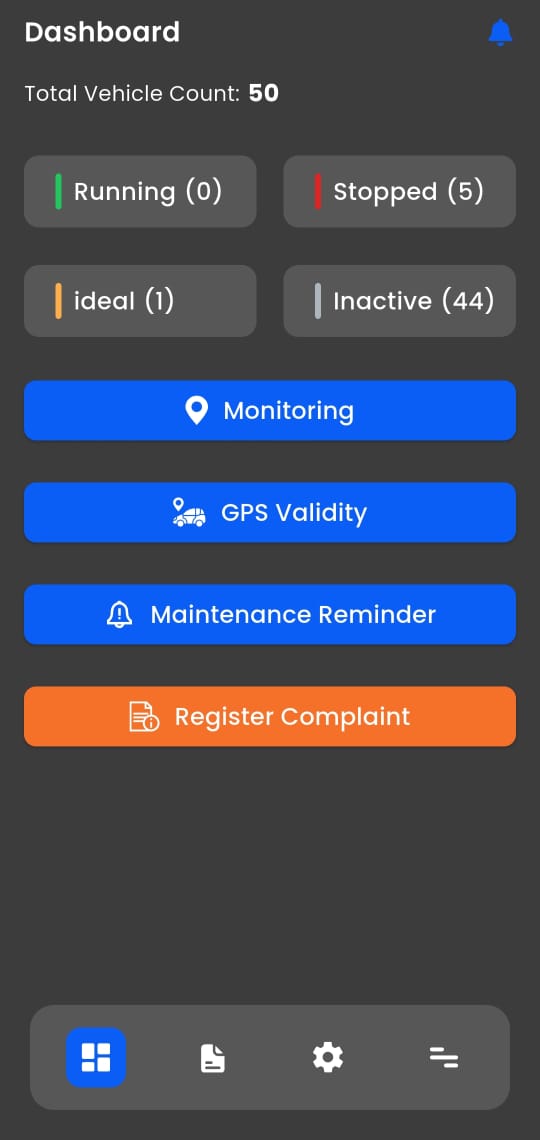
4. Dashboard
This represents the main overview screen for the entire fleet management system. It provides immediate, critical statistics on the entire pool of 50 monitored vehicles. The operational status is broken down into four categories.
5. Speed Monitor Report
This report focuses specifically on driving behavior related to velocity, providing an essential tool for safety and regulatory compliance. It breaks down segments of the journey into detailed time periods.
6. Input History Report
This highly technical report tracks the internal status of the GPS device's power or input. It logs multiple distinct time periods when the tracking system's input was either on or off.
7. POI History Report
This report specializes in tracking the vehicle's activity near a Point of Interest (POI). A POI is a pre-defined location that requires special monitoring, such as a depot, client site, or specific landmark.
8. Stoppage Report
This report is a clear, chronological log of all the vehicle's non-moving or idle periods (stops) during the journey. Each stoppage event is listed with its total Duration.
9. Trip Report
This screen segments the entire day's journey into separate, identifiable trips. It summarizes two consecutive travel segments, highlighting the transition from one stop to the next.
10. Playback Map View
This image displays the interactive playback tool, which allows users to virtually re-watch the journey on the map. The tool shows a clear, animated representation of the vehicle moving along the recorded route.
Bonrix Software Systems, Ahmedabad (Gujarat) - INDIA
+91 94260 45500 | +91 63524 45500 | +91 94290 45500
http://feescollection.bonrix.in | www.bonrix.net


Vehicle Route History (Map View)
Visualizes the complete journey from Ahmedabad to Jodhpur with labeled waypoints and start/end pins for route verification and audit.
Input History Report
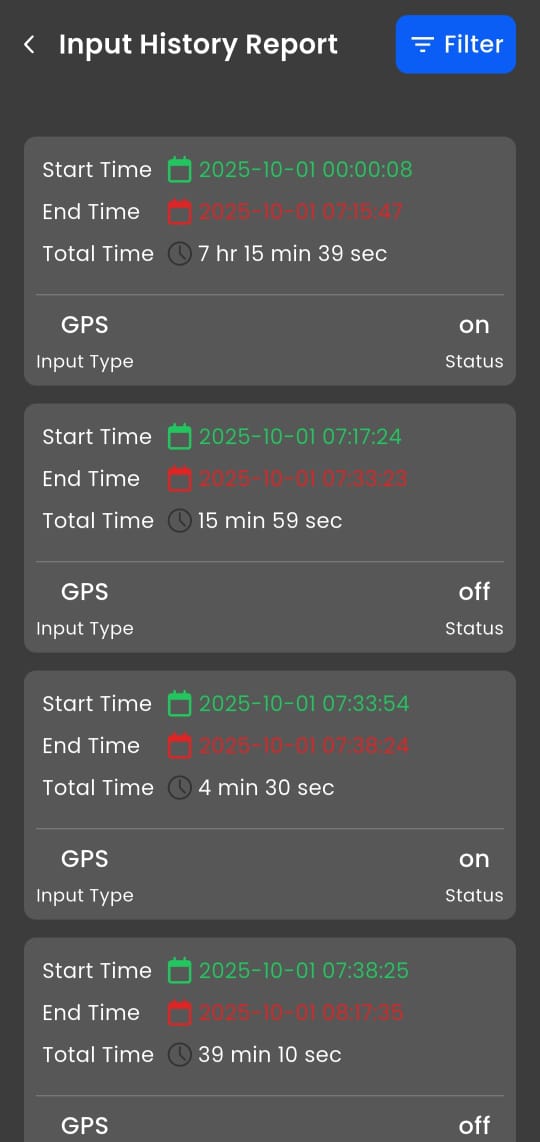
Logs GPS device power/input status to detect tampering, disconnections, or signal gaps with precise on/off durations.
Live Tracker Menu
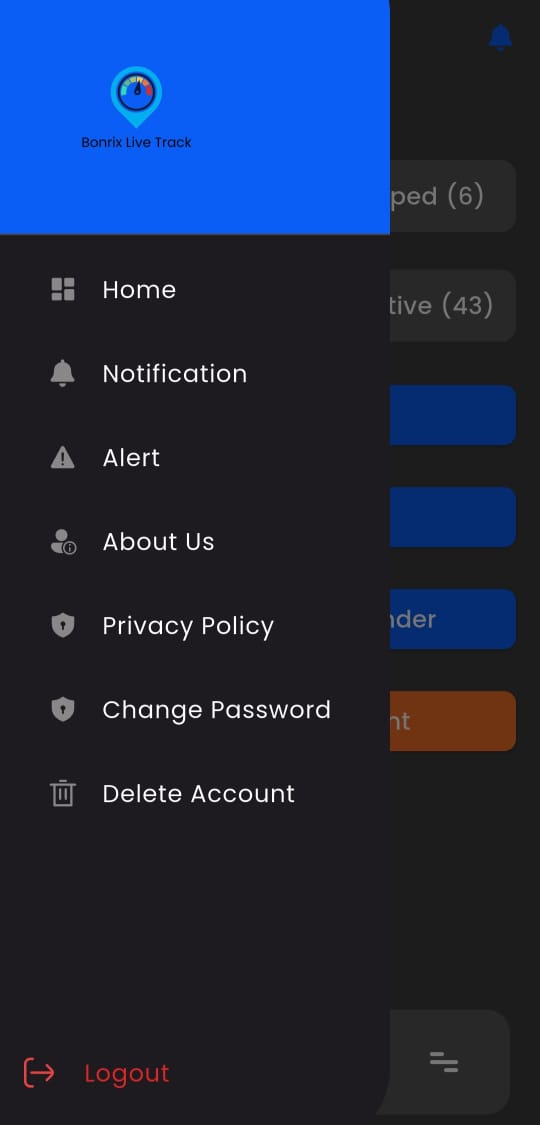
Central navigation hub providing quick access to monitoring, reports, settings, and vehicle control features.
Settings
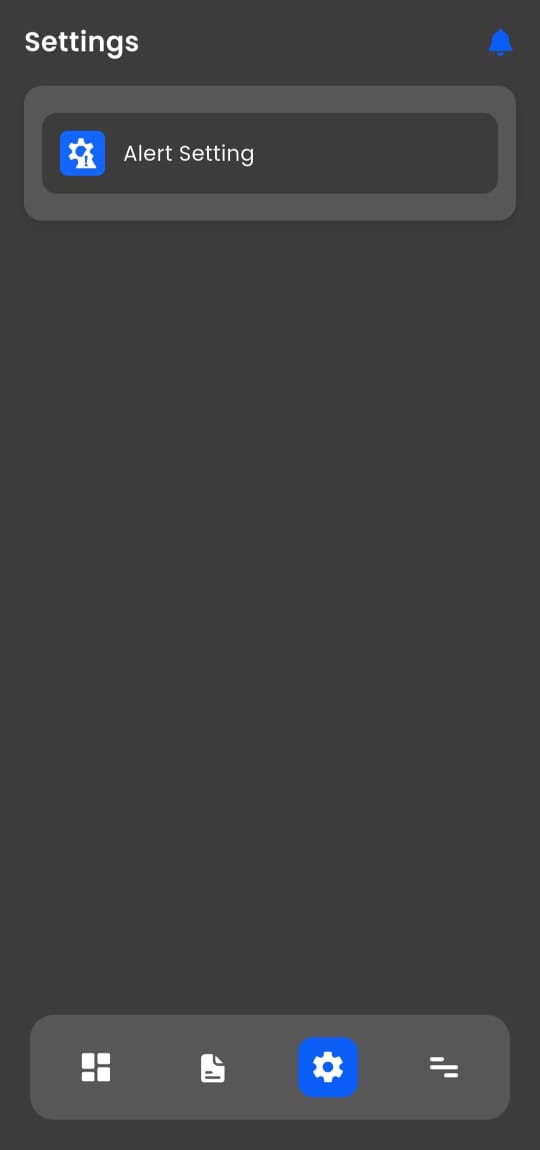
Configure user preferences, notification rules, map defaults, and system behavior for a personalized tracking experience.
About Us
Displays company information, app version, and support details for transparency and user assistance.
Alert Settings
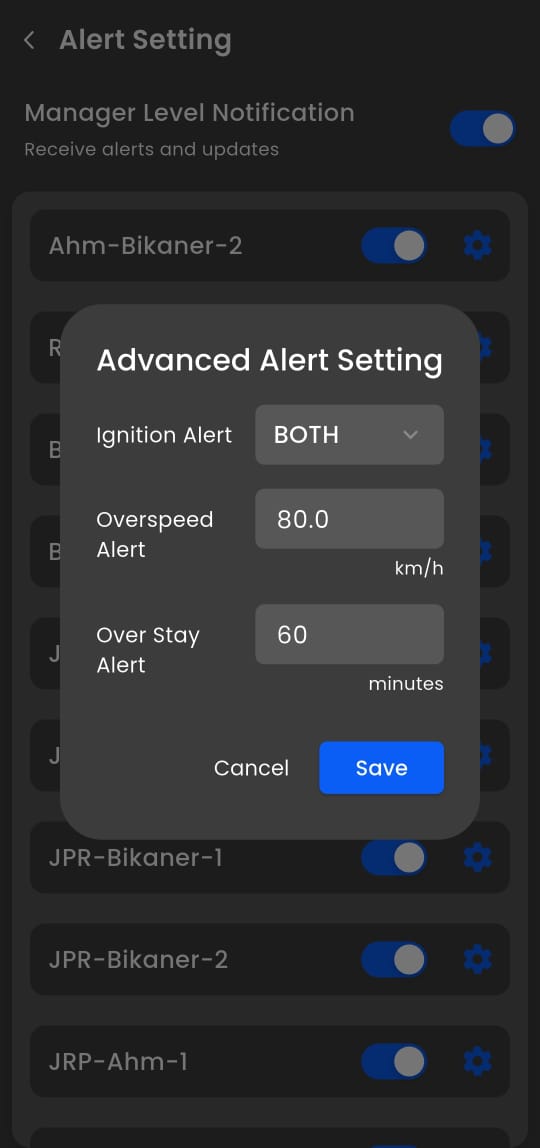
Customize real-time notifications for overspeed, geofence breaches, idle time, and maintenance reminders.
Live Monitoring
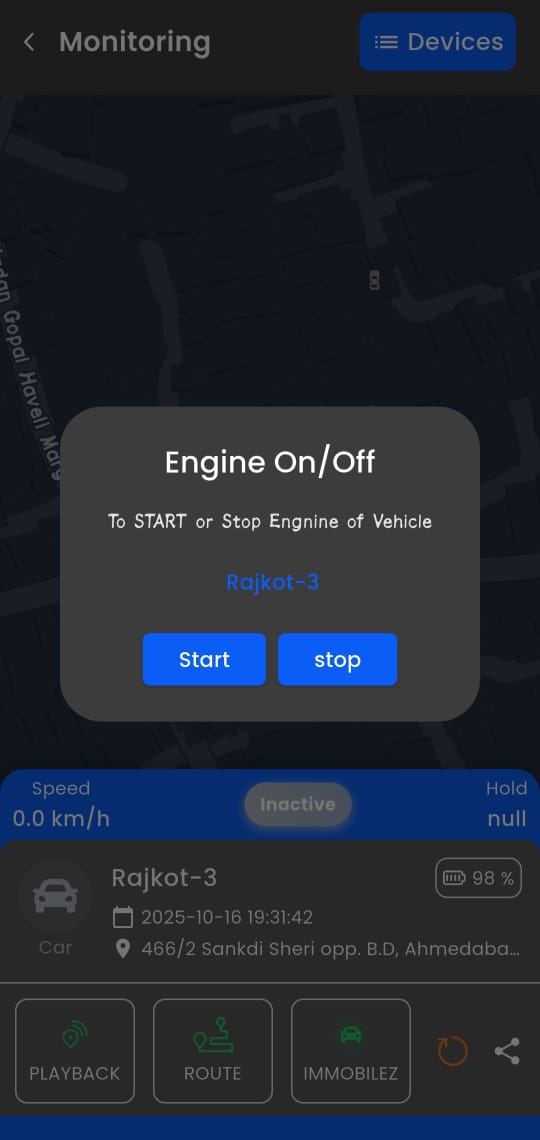
This feature enables remote engine control—allowing users to start or stop the engine of the vehicle "Ahm-Bikaner-2" from a distance. It serves as a critical security and emergency management tool in modern fleet tracking systems.
Playback Map View
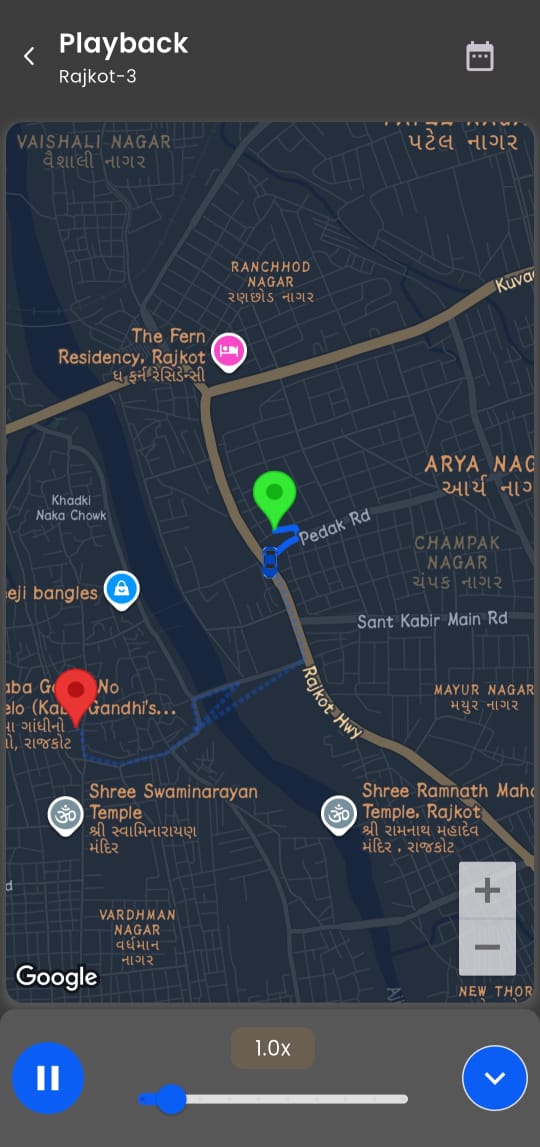
Animated route replay with 4.5x speed control for forensic analysis, driver review, and incident investigation.
Change Password
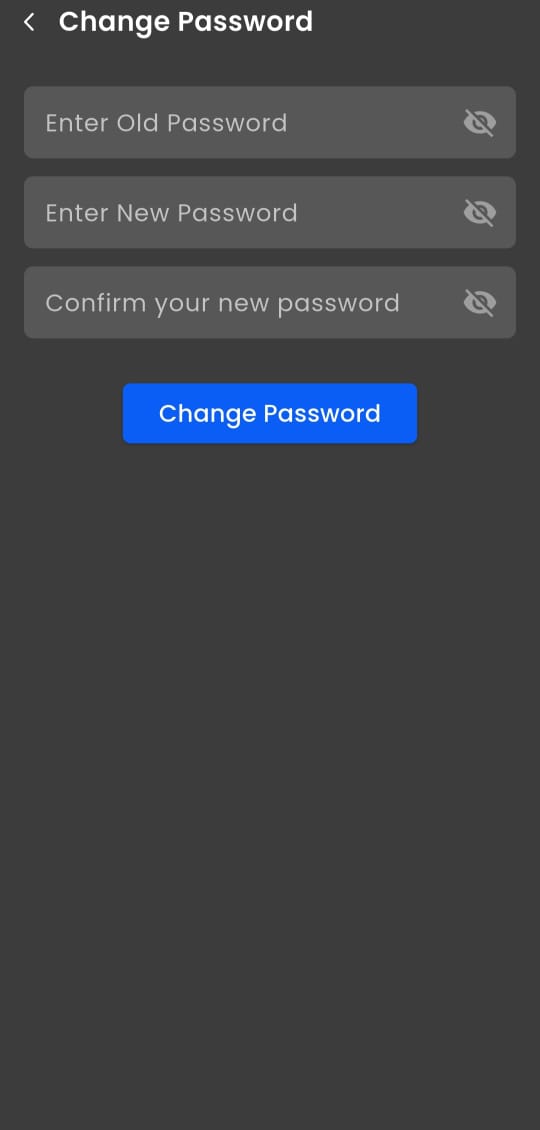
Secure interface for updating login credentials and maintaining account safety.
Vehicle Route History
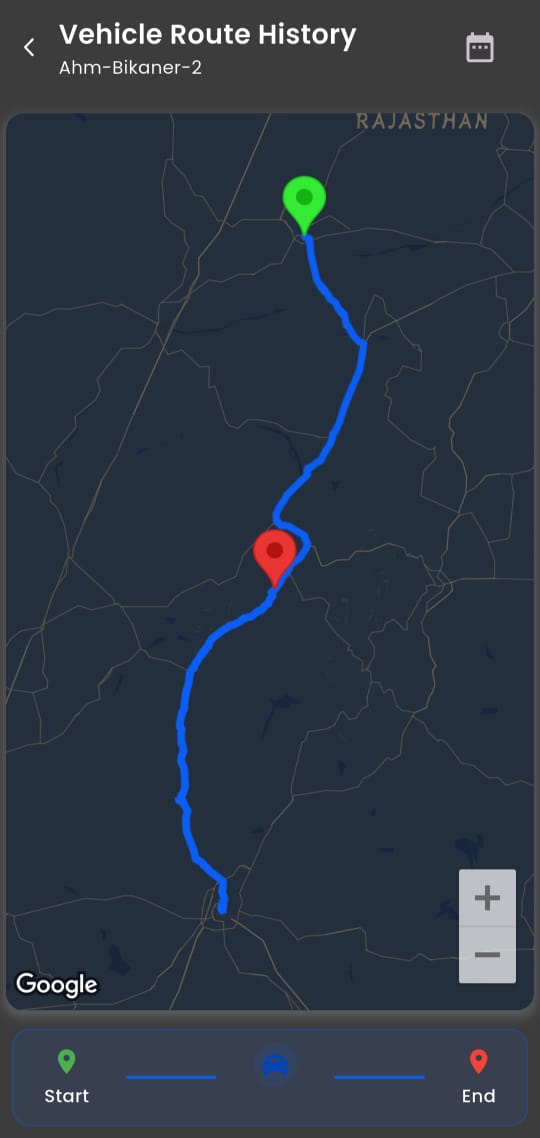
Detailed log of past journeys with timestamps and geographic coordinates for compliance and planning.
Trip Report
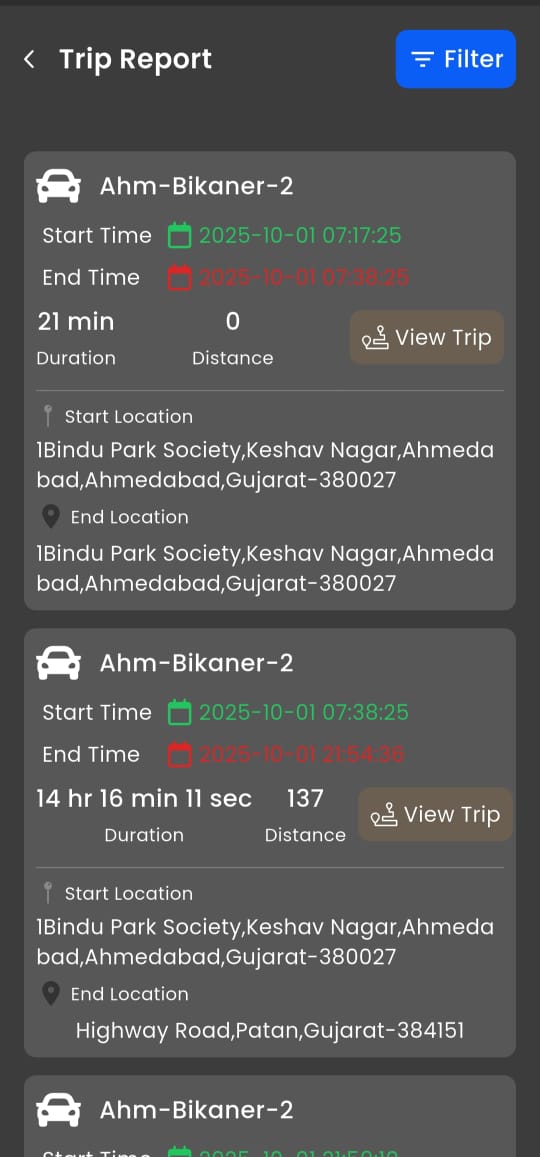
Breaks daily activity into individual trips with start/end locations, duration, and distance for logistics analysis.
POI History Report
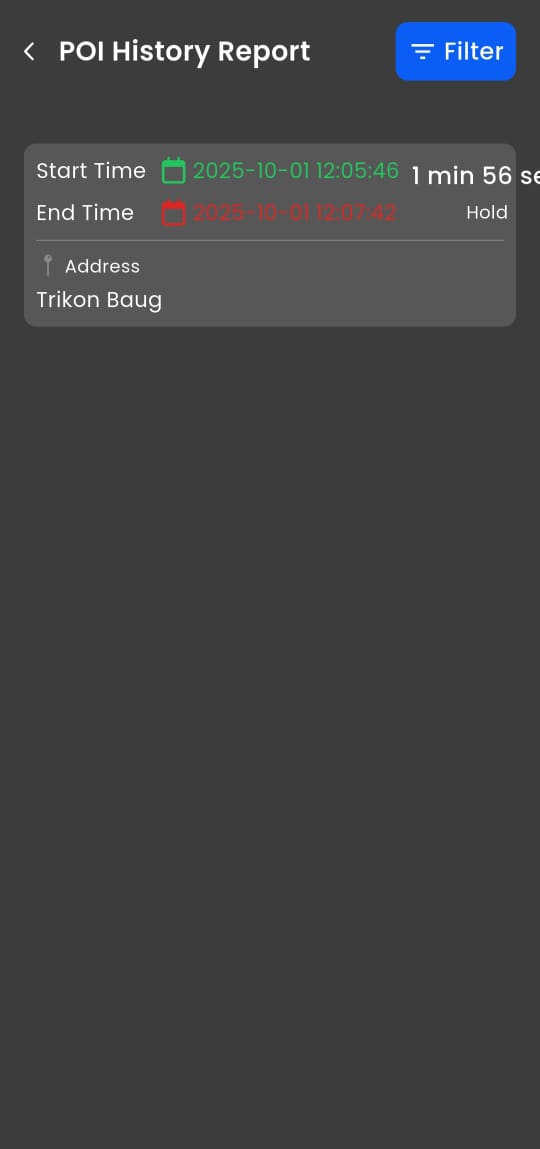
Tracks time spent at predefined Points of Interest (e.g., Trikon Baug) to verify scheduled stops and client visits.
Speed Monitor Report
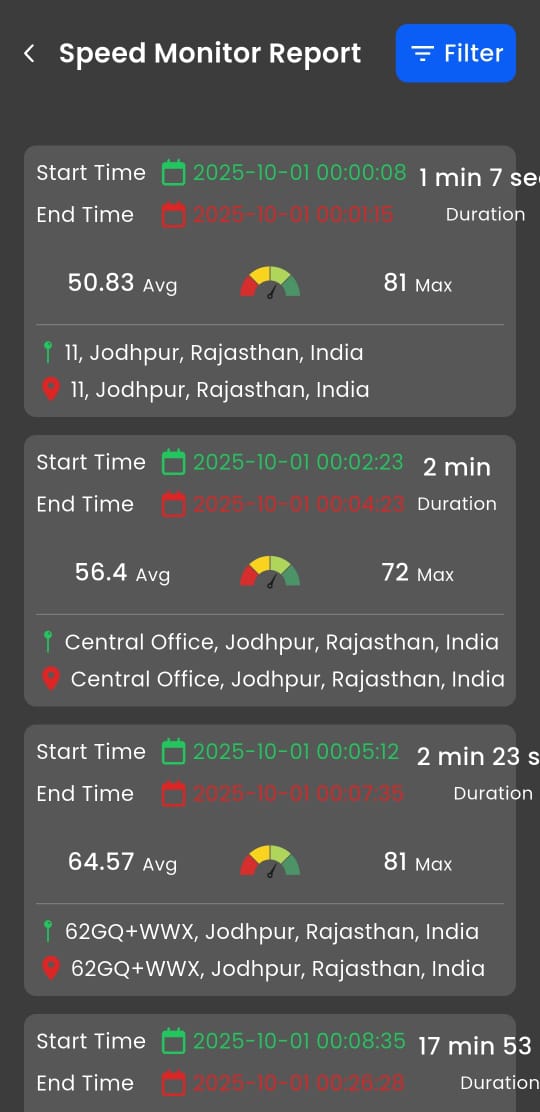
Logs average and peak speeds per segment with location tags (e.g., Sangariya) to enforce safety compliance.
Monitoring Dashboard
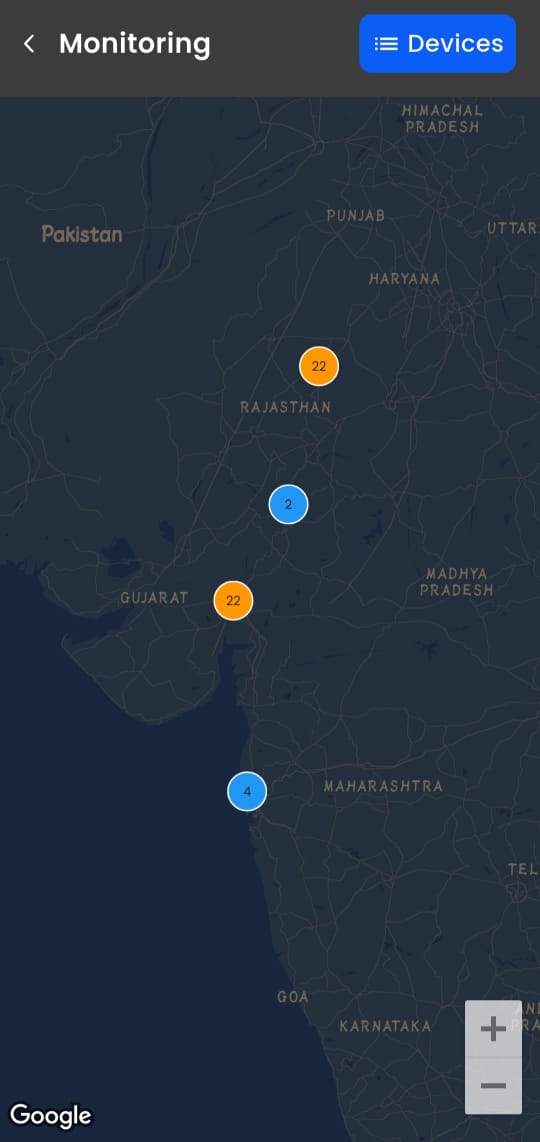
Real-time fleet status with live speed, location, and ignition data for immediate operational awareness.
Reports Hub
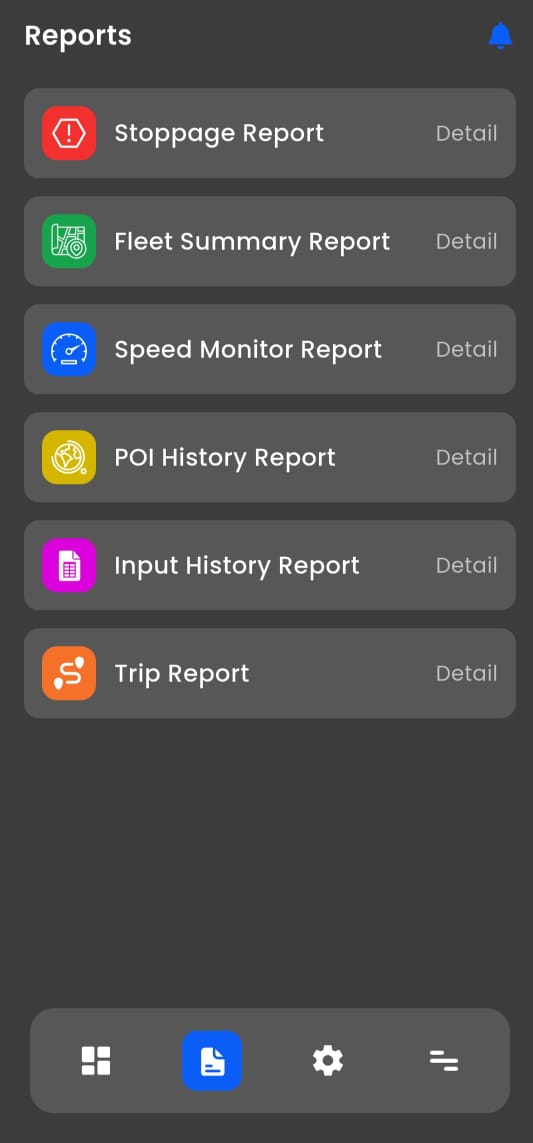
Centralized access to all analytical reports—stoppage, trip, speed, POI, and more—for data-driven decisions.
Stoppage Report
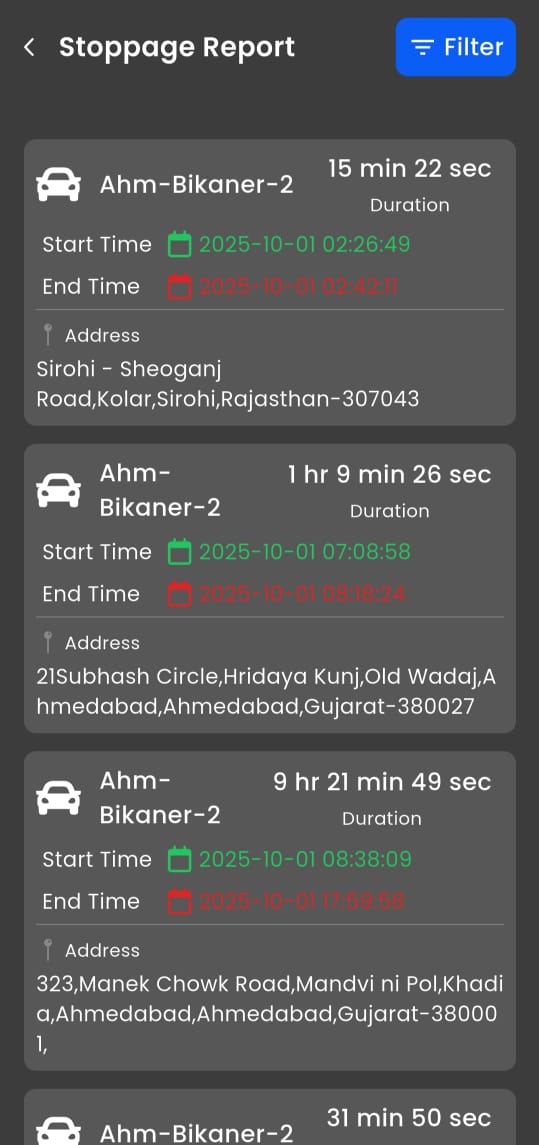
Chronological log of idle periods with exact addresses and durations to optimize efficiency and reduce waste.
Fleet Summary Report
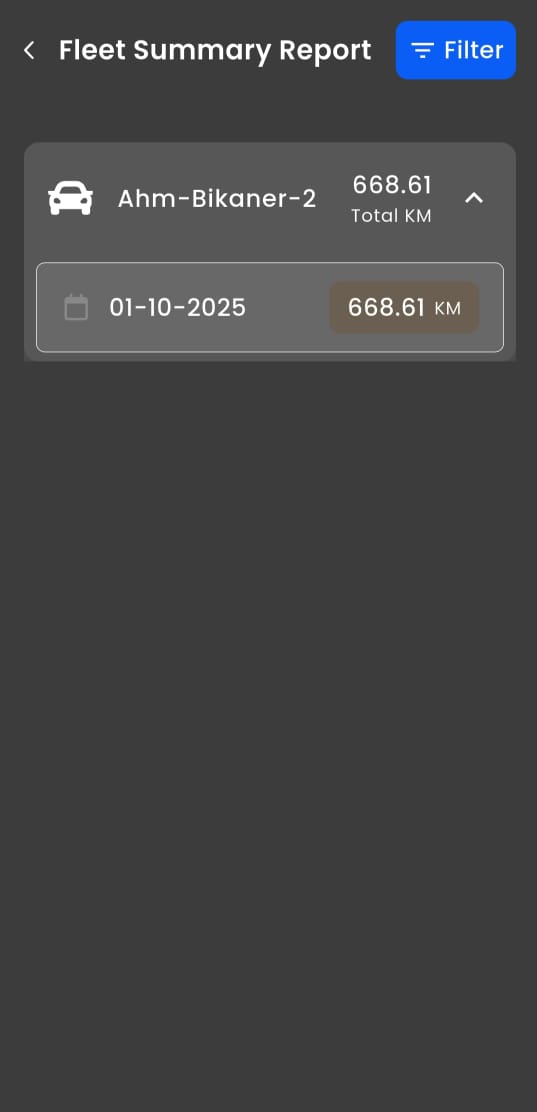
Daily mileage summary (e.g., 668.61 KM on 01-10-2025) for billing, maintenance scheduling, and utilization tracking.

Dashboard
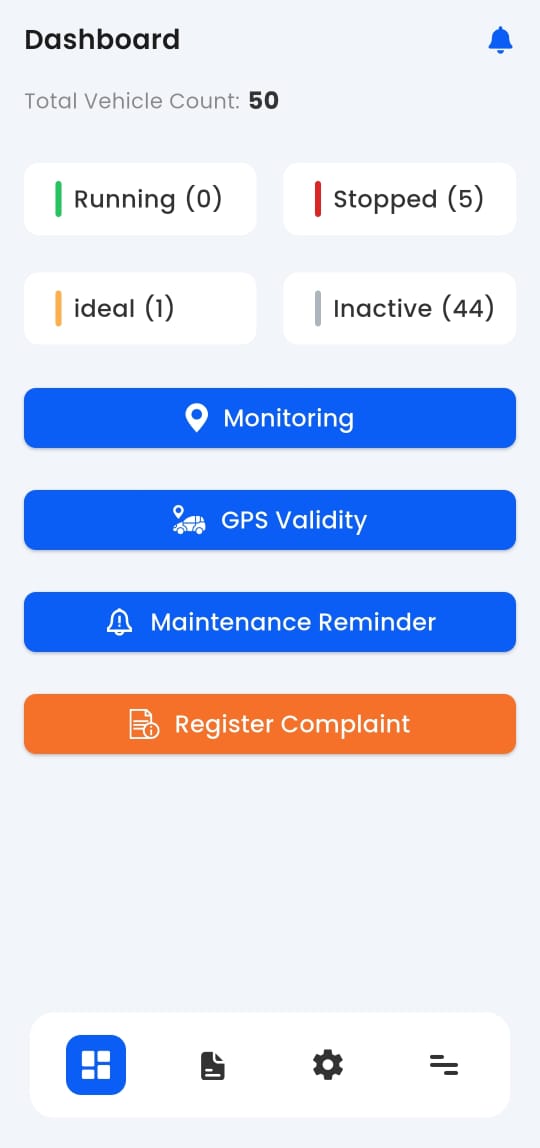
Overview of fleet status, active vehicles, and key performance indicators for quick operational insights.
Speed Monitor Report
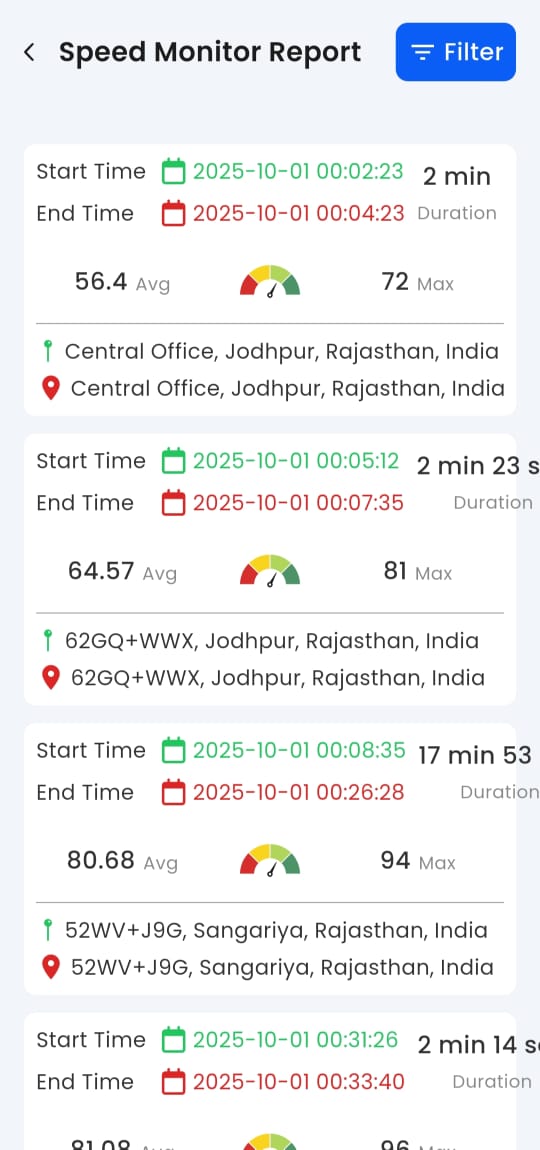
Detailed speed tracking with location tags to identify risky driving behavior and ensure compliance.
Playback Map View
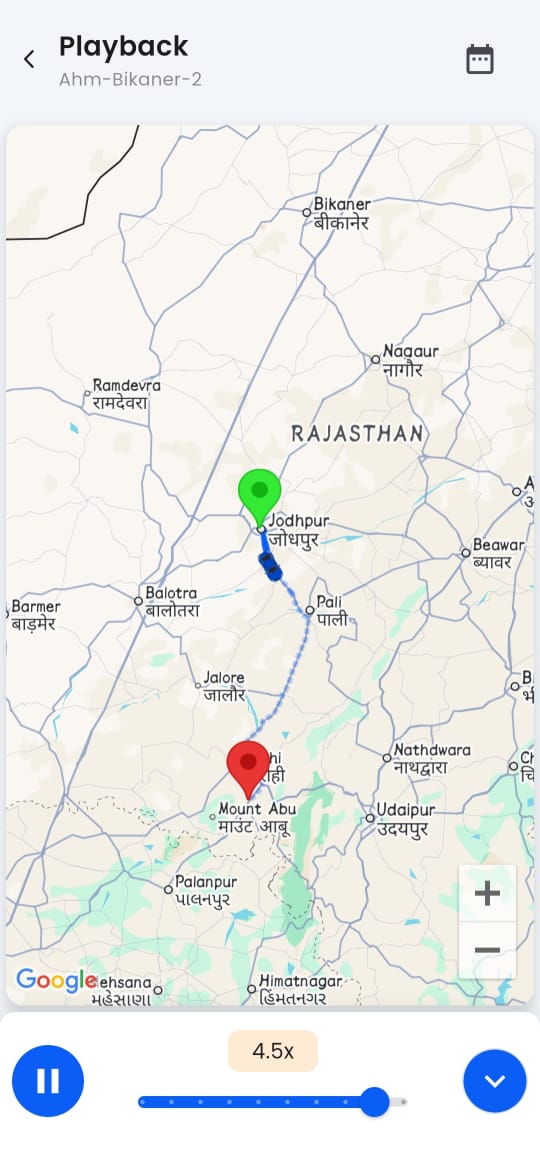
Animated replay of historical routes with adjustable speed for incident review and driver coaching.
Trip Report
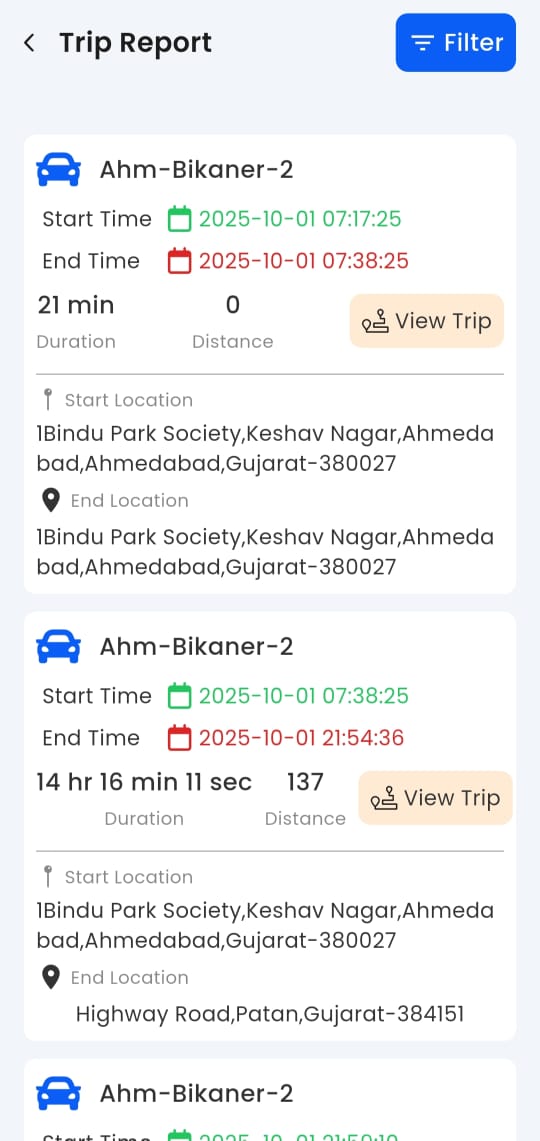
Breaks vehicle activity into individual trips with start/end points, distance, and duration for logistics optimization.
Live Monitoring
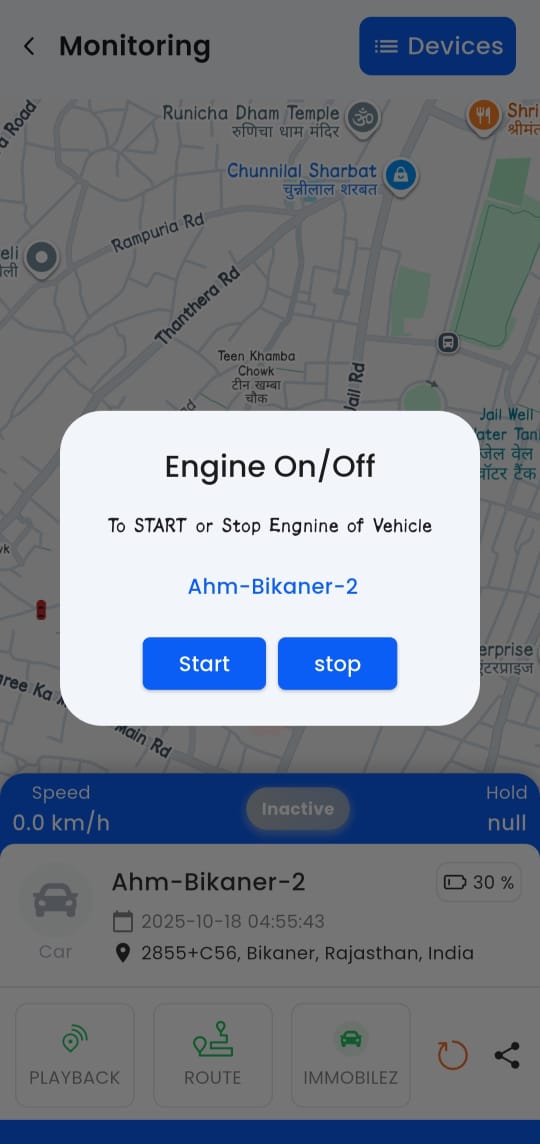
Real-time tracking of all vehicles on an interactive map with live speed, status, and location updates.
Stoppage Report
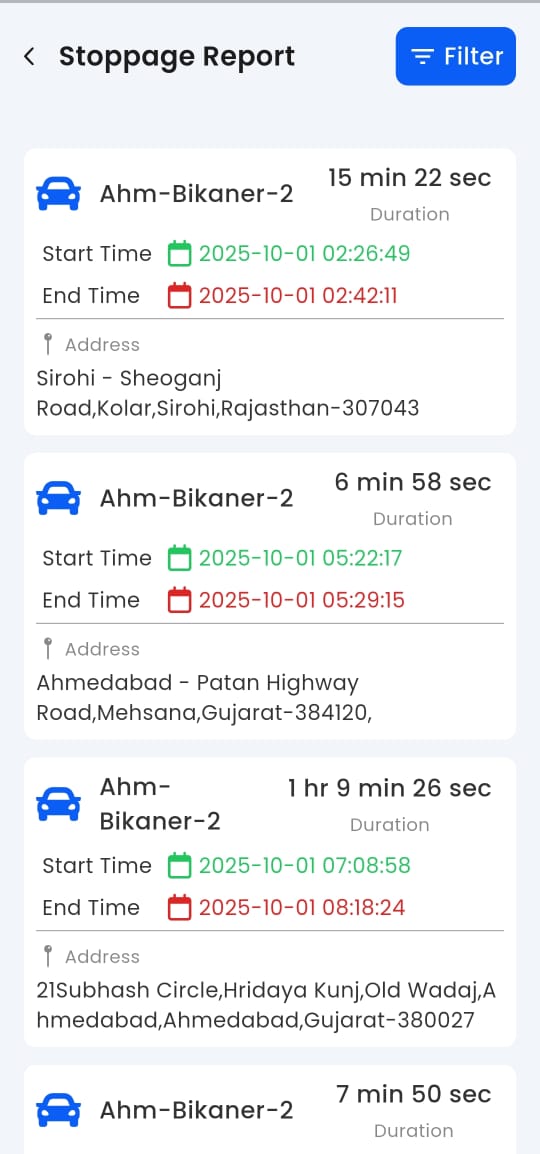
Logs all idle periods with exact addresses and durations to improve fleet utilization and reduce fuel waste.
Input History Report
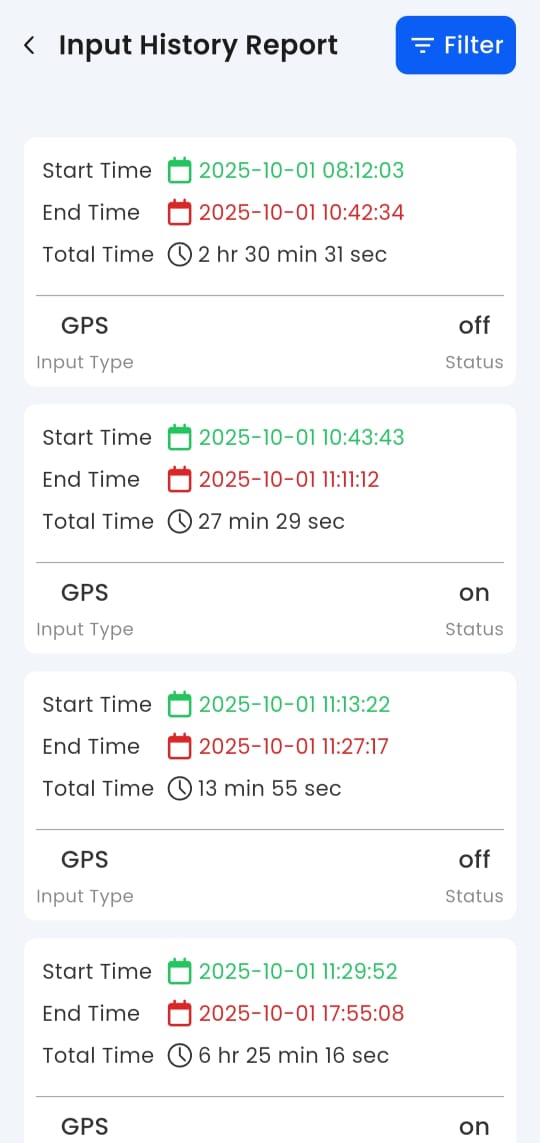
Tracks power and input status changes to detect tampering, disconnections, or device malfunctions.
POI History Report
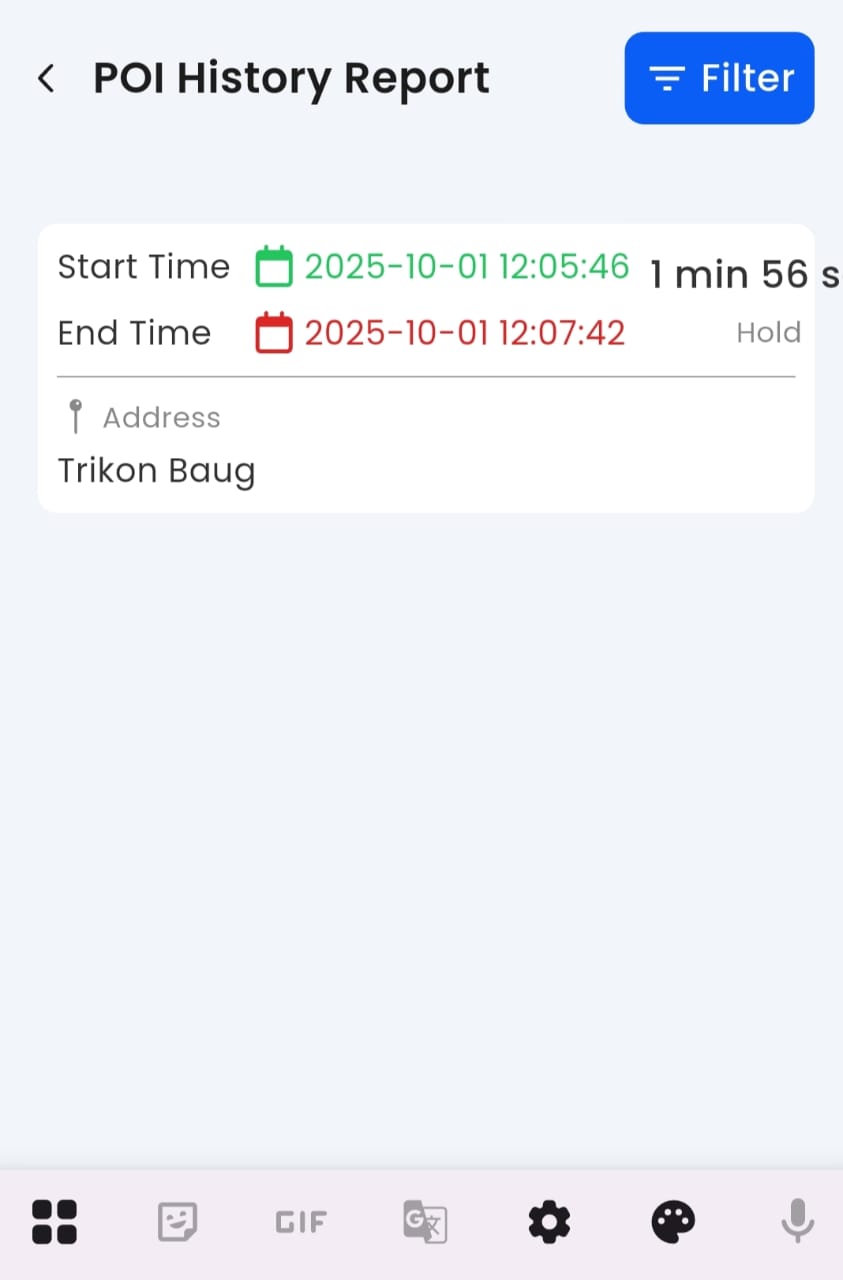
Monitors time spent at predefined Points of Interest to verify scheduled stops and customer visits.
Fleet Summary Report
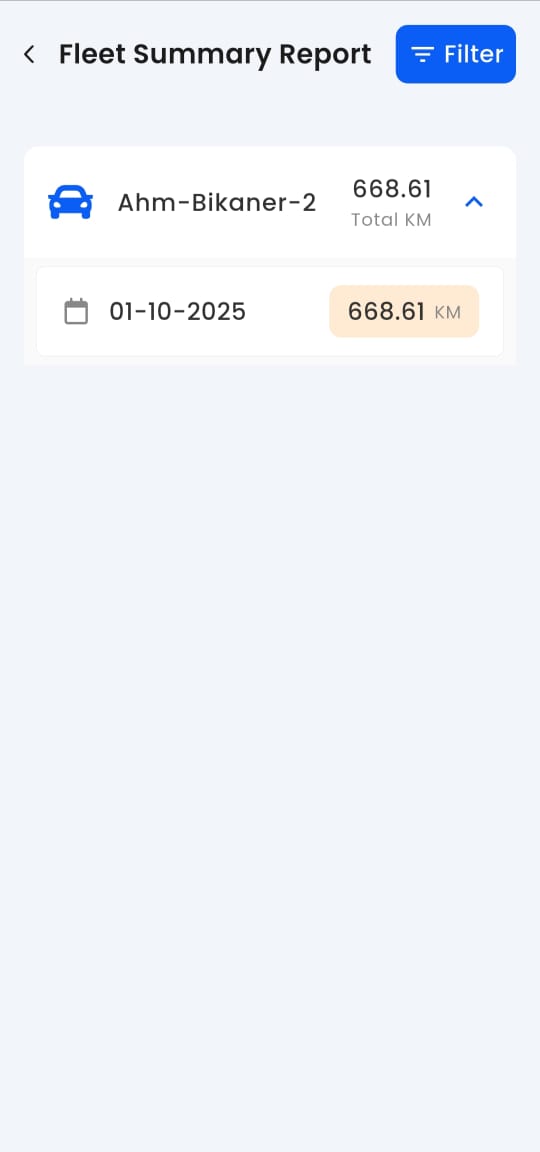
Daily or monthly summary of total distance traveled (e.g., 668.61 KM) for billing, maintenance, and efficiency analysis.
Vehicle Route History
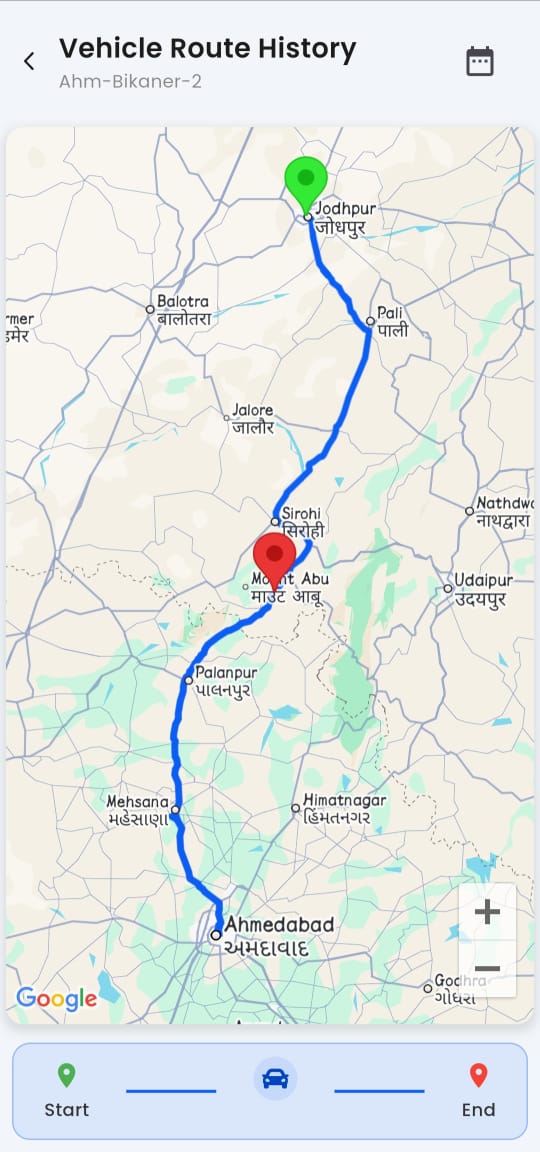
Complete log of past journeys with timestamps and coordinates for audit, compliance, and route planning.
Alert Settings
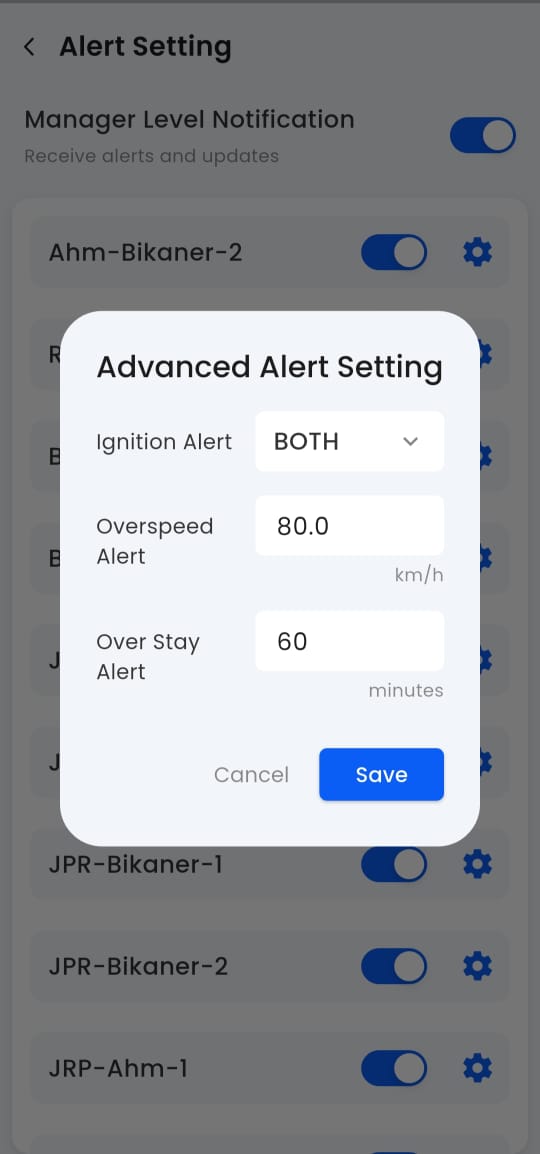
Configure real-time notifications for overspeeding, geofence breaches, idling, and maintenance alerts.
About Us
Displays company details, app version, and support contact information for user assistance and transparency.
Advanced GPS Tracking Application #automobile #tracking
Comprehensive GPS Tracking & Fleet Management Insights
This video provides an excellent demonstration of the various historical reporting and alert management features within a comprehensive GPS tracking system. It showcases the depth of data available for auditing fleet operations over a specific period, helping fleet managers optimize efficiency, safety, and accountability.
The video begins by showing a menu of detailed reports, including Stoppage Report, Fleet Summary Report, Speed Monitor Report, POI History Report, Input History Report, and Trip Report. This highlights the system's ability to categorize and present data based on different operational metrics—providing insights from driver behavior to vehicle performance.
The user then navigates to several reports, demonstrating the powerful search and filtering capabilities. For each report, the user selects a date range (specifically focusing on 01/10/2025), a specific device (e.g., “Rajkot-Ahm-2”), and report-specific criteria (e.g., “10 Min” stop duration for the Stoppage Report).
Stoppage Report: This report reveals multiple entries detailing the duration, start/end times, and exact addresses of vehicle stops—including a significant stop lasting 10 hr 43 min 43 sec. Such detailed visibility is vital for managing driver breaks, validating delivery and wait times, and improving route efficiency.
Fleet Summary Report: The Fleet Summary Report provides a clear calculation of the Total Distance traveled—showing 228.47 KM for the selected device on the chosen date. This data is critical for mileage tracking, fuel cost analysis, and performance benchmarking.
Speed Monitor Report: This feature demonstrates the system’s capability to configure a speed threshold (e.g., 40 km/h) to track and flag over-speeding events. It enables managers to maintain safety compliance and monitor driver discipline through automatic logging of speed violations.
Alert Management: The video concludes with the Alert Setting screen, showcasing how managers can configure and personalize real-time notifications. Alerts such as Overspeed (60.0 km/h) and Over Stay (30 minutes) can be set to trigger instant notifications—empowering proactive intervention to prevent violations or inefficiencies before they escalate.
Overall, the demonstration reinforces Bonrix’s dedication to delivering smart, data-driven GPS tracking technology—combining live monitoring, detailed analytics, and customizable alerts for seamless fleet management, safety assurance, and operational control.
Advanced gps Tracking Application
Real-Time Monitoring & Historical Playback in GPS Fleet Tracking
This video provides a detailed demonstration of the core functionalities within a fleet management and GPS tracking application, focusing on real-time status, live monitoring, and historical playback of a monitored vehicle.
The sequence begins on the Dashboard (0:00–0:02), which offers an immediate, high-level overview of the entire fleet. It displays a Total Vehicle Count of 50 and categorizes their current operational status into Running (0), Stopped (4), Idle (1), and Inactive (45), giving managers an instant picture of overall fleet utilization and availability.
The video then transitions to the Live Monitoring feature (0:03–0:19), where a map view shows the real-time geographical location of vehicles scattered across a large area (parts of Gujarat and Rajasthan are visible). As the map loads and zooms in, a list of vehicles appears below, displaying their current status (e.g., 0.0 km/h, Inactive), last known location (such as Bikaner, Rajasthan), and the timestamp of the last report. This confirms the application’s ability to deliver minute-by-minute tracking updates and accurate positional data.
Next, the user demonstrates the Historical Playback function (0:20–1:26). Initially, the app displays an “Exception: No data available for the selected period” message, prompting the user to select a valid date range. Upon selecting a past date (October 1st, 2025), the system retrieves the vehicle’s complete trip history. The map updates to display a long-distance journey between Jodhpur and Mount Abu, clearly marked with start and end location pins.
The playback then begins, showcasing a smooth, animated visualization of the vehicle’s route. A panel beneath the map provides real-time analytics during playback: Current Speed fluctuates dynamically, reaching speeds up to 96.0 km/h and dropping to as low as 15.0 km/h, revealing driver speed behavior and road patterns. Total Points displays 1207 recorded GPS data points captured throughout the trip. Progress Counter tracks playback advancement, such as 16/50 → 212/500+, indicating how far the replay has progressed through the data stream.
The video highlights a 5.0x playback speed multiplier, showing that the trip is being reviewed at five times real speed—an invaluable feature for fleet audits, performance analysis, and training purposes.
Overall, this demonstration underscores the system’s comprehensive approach to fleet visibility, route auditing, and driver performance tracking. The historical playback capability enables companies to verify travel times, investigate incidents, assess compliance with speed regulations, and ensure operational transparency after every journey.
